
Creating a Compliant Application Privacy Policy
Learn how to write a compliant application privacy policy for your iOS app. Our guide covers GDPR, CCPA, and App Store rules with actionable steps.
Your app's privacy policy isn't just another legal document you have to check off a list. It’s a crucial statement about how you handle user data—covering everything from collection and usage to sharing and protection. Honestly, it's one of the most important tools you have for building trust in a crowded app market.
Why Your App's Privacy Policy Is a Strategic Asset
It wasn't that long ago that a privacy policy felt like an afterthought, a bit of legal jargon buried somewhere in the settings menu. But things have changed. Today, it’s a core piece of your brand and a real competitive advantage. People are savvier than ever about their digital privacy, and a clear, upfront policy can be what convinces someone to choose your app over another.
Think of it as one of your first real conversations with a user about trust. If your policy is confusing or hidden, you're signaling that you've got something to hide. That erodes confidence before they even hit the download button. On the other hand, a well-written policy shows you respect your users and their data, turning a legal requirement into a genuine marketing tool.
Beyond Compliance: The Cost of Getting It Wrong
Simply hoping for the best with your privacy policy is a risky game. The fallout from a poor policy isn't just a slap on the wrist; it can seriously damage your app's reputation, user base, and revenue.
Here’s what you’re up against if you don’t get it right:
- App Store Rejection: Both Apple’s App Store and Google Play have strict rules. A weak or missing policy is one of the top reasons apps get rejected, leading to frustrating and expensive launch delays.
- Losing User Trust: If users find out you're collecting more data than you let on, the backlash can be swift and brutal. Think bad reviews, a wave of uninstalls, and lasting damage to your brand.
- Hefty Fines: Regulators aren't messing around. Fines for non-compliance are a real threat, and they can hit businesses of any size.
The global push for data privacy is only getting stronger. By 2025, over 144 countries had passed data privacy laws, covering about 79% of the world's population. Just look at the EU—by March 2025, GDPR enforcement had already led to roughly €5.65 billion in fines. This sends a clear message: regulators expect you to be accountable for how you handle user data. If you want to dig into the numbers, you can find a lot more on data privacy statistics and global regulations.
Turning a Requirement Into an Advantage
Instead of seeing the privacy policy as a defensive move, think about how you can use it to your advantage. It’s your chance to put your company’s values on display and show you’re committed to handling data ethically.
A transparent privacy policy does more than fulfill a legal obligation; it builds a bridge of trust with your users. When they understand how their data is handled and respected, they are more likely to become loyal, engaged customers.
This kind of transparency has a direct impact on your business. Apps that are upfront about their data practices tend to have higher conversion rates and better long-term retention. When you clearly explain why you need certain data—maybe to personalize the user experience or fix bugs—you bring users into the process. They feel more like partners than products, and that's the foundation for a much healthier, more sustainable relationship with your audience.
Time to Play Detective: A Deep Dive Into Your App’s Data Collection
Before you write a single word of your privacy policy, you have to become an expert on your own app. I mean a real expert. You need a complete, no-stone-unturned map of every single piece of data your app touches—what it collects, what it processes, and what it shares.
This isn't just about the obvious stuff like an email address at signup. We're talking about digging into the passive, often invisible, data streams that make modern apps tick. This initial audit is the absolute foundation of a trustworthy policy. If you get this part wrong, your policy will be inaccurate, and an inaccurate policy is arguably worse than no policy at all. It misleads users and can get you into hot water with Apple and regulators.
The stakes are pretty clear. Get it right, and you build trust. Get it wrong, and you risk fines and, maybe worse, losing your users' confidence.
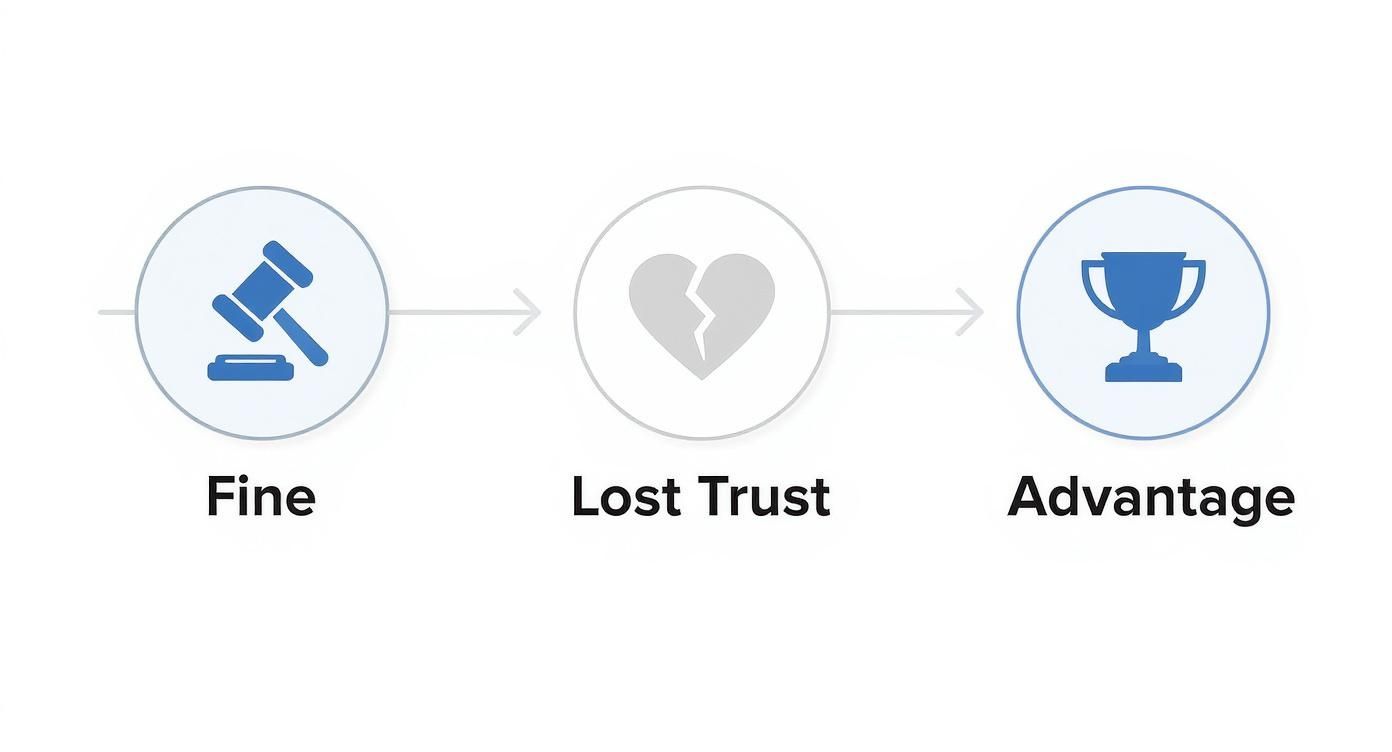
As you can see, a solid, transparent policy isn't just a legal checkbox—it's a competitive advantage.
Start With Your Own Code: Mapping First-Party Data
Let's begin with the data you control directly—the information your own code is gathering from users. This is usually the easiest part of the audit, but it demands meticulous documentation. Don't just make a list of data points; you need to connect each one to its purpose.
I've always found a simple spreadsheet is perfect for this. Set up a few columns to track everything:
- Data Point: The specific piece of info (e.g., Email Address, First Name, Device Model).
- Collection Method: How you get it (e.g., User input on a form, collected automatically at launch).
- Purpose: Why you actually need it (e.g., Account creation, core app functionality, crash reporting).
- Is it PII? A simple "Yes/No" for Personally Identifiable Information.
Think about a common example: location data. Is your app collecting it to show nearby coffee shops (a core feature) or to help advertisers serve location-based ads (marketing)? That distinction is absolutely critical, both for your policy's text and for the App Store's privacy labels.
The Tricky Part: Uncovering Third-Party SDK Data Collection
This is where I see most developers stumble. Your app is rarely just your code. It’s a bundle of third-party Software Development Kits (SDKs) handling everything from analytics and ads to crash reporting. Each one of those SDKs is its own little data collector, running silently inside your app.
Here’s the kicker: you are responsible for the data they collect. Just saying "we use an analytics SDK" isn't good enough. You have to know and disclose what specific data that SDK is gathering.
Let's walk through a real-world scenario. You integrate an analytics platform to see how people are using your app. Out of the box, that SDK might be grabbing:
- Device ID
- IP Address (which means it also gets a rough location)
- Device Type (e.g., iPhone 15 Pro)
- Operating System Version
- App Version
- Session Duration
- Screens Viewed
And that’s just the default stuff. You're probably also sending custom events. If you're using a service like Nuxie to analyze paywall performance, you might be tracking specific user interactions. To do your audit right, you need to dig into the documentation and understand what’s being sent. Reviewing the list of Nuxie's tracking events and their properties is a perfect example of the level of detail you need.
For every single SDK in your app, go to its website and find its documentation. Look for a "data collection" or "privacy" page. If you can't find a clear list, email their support team. Don't guess—verify.
Your Actionable Audit Checklist
To make sure you don't miss anything, be systematic. Go through your app feature by feature, looking for any point where data is exchanged.
- User Authentication: What's needed for sign-up and login? Email, name, data from social logins? Write it all down.
- Core Functionality: Does your app ask for the camera, contacts, photos, or location? Document every permission request and why you need it.
- Analytics & Monitoring: List every single analytics, performance, and crash reporting SDK. Itemize the default data they collect and any custom events you’re sending.
- Advertising: If you run ads, what data does your ad network's SDK collect for targeting and measurement? This often includes the IDFA (Identifier for Advertisers).
- Payments: What info is processed when a user makes a purchase? Even if you use a service like Stripe or RevenueCat to handle the sensitive details, you must disclose that payment data is processed by a third party.
Remember, this audit isn't a one-and-done task. It's a living document. Every time you add a new feature or integrate a new SDK, you have to come back to this data map and update it. Keeping it current will make updating your privacy policy a quick edit instead of a week-long panic.
Writing the Core Sections of Your Privacy Policy
Once you’ve finished your data audit, you have a complete inventory of every piece of information your app touches. Now, the real work begins: turning that technical audit into the core sections of your application privacy policy. This is where you translate technical details into clear, human-readable language that builds trust and satisfies legal requirements.
Think of each section as a direct answer to a question a user would ask. Your goal is to be transparent and specific, steering clear of the vague legalese that instantly makes people suspicious. A well-written policy is easy to scan, with each clause tackling a different part of your data handling process.

To build a solid foundation, every privacy policy needs to cover a few essential areas. Think of these as the non-negotiable building blocks. The table below breaks down the must-have clauses and what you should aim to include in each one.
Essential Privacy Policy Clauses and What to Include
| Clause | Purpose | Key Information to Include |
|---|---|---|
| What Data We Collect | To inform users exactly what information your app gathers about them. | Categories of data (e.g., provided by user, collected automatically), with specific examples like email, device ID, crash logs, and location. |
| Why We Collect Your Data | To explain the reason behind each piece of data collection, connecting it to a specific app function or business need. | Link data points to their purpose (e.g., "We use your IP address to prevent fraudulent logins" or "We use usage data to improve app features"). |
| How We Share Your Data | To be transparent about any third-party services or partners who may receive user data. | List categories of third parties (analytics, cloud hosting, ad networks) and name specific services where possible (e.g., Google Analytics, AWS). |
| Your Data Rights and Choices | To empower users by explaining their rights and how they can control their personal information. | Detail the rights to access, correct, and delete data. Provide clear, actionable steps and a contact method (e.g., a privacy email). |
| Data Security and Retention | To reassure users that their data is protected and to clarify how long you store it. | Describe security measures (e.g., encryption) and state your data retention timeline (e.g., "Data is deleted 30 days after account closure"). |
With these core components in mind, let's dive into how to write each one effectively.
What Data We Collect
This is the bedrock of your policy and the first thing curious users will check. It must be a direct, honest reflection of your data audit. The best approach is to break down the information into logical categories so people can easily digest it.
Avoid writing a dense, intimidating paragraph. Use lists to your advantage—they’re scannable and show you’ve been methodical.
- Information You Provide Directly: This is anything the user actively types in, like their name, email address, or password when they create an account.
- Information Collected Automatically: This covers data your app gathers just by being used. Think device type (e.g., iPhone 15), operating system version, IP address, and unique device identifiers.
- Usage Data: Here, you explain that you collect information on how people interact with your app—which features they use most, what buttons they tap, and how long they spend on certain screens.
A vague policy might say, "we collect user data." A great policy says, "we collect your email address for account login and your device model for crash reporting." That level of detail is what builds real confidence.
Why We Collect Your Data
This section tackles the all-important "why." For every piece of data you collect, you need to have a clear and justifiable purpose. This isn’t just good practice; it’s a hard requirement under laws like the GDPR, which demands a "lawful basis for processing."
Your job is to connect the data to its function. Users are far more likely to be okay with data collection when they understand the reason behind it.
- A vague example: "We use your data to improve our services."
- A clear example: "We use your device model and OS version to identify and fix bugs specific to certain hardware. Your in-app activity helps us see which features are most popular, so we can prioritize what to build next."
Being explicit shows you respect your users and aren't just grabbing data for the sake of it. For a solid real-world example, take a look at the Nuxie privacy policy, which does a great job of outlining data usage in a straightforward way.
How We Share Your Data
Let’s be honest: no app is an island. You're almost certainly using third-party services, and you have to disclose them. This section is all about being upfront about who else might see your users' data. Your SDK audit from earlier will be your guide here.
List the types of third parties you share data with and explain why.
- Analytics Providers: Name the services (like Google Analytics or Mixpanel) and clarify that you share anonymized usage data to understand user behavior.
- Cloud Hosting Providers: Mention that user data is stored on secure servers from providers like Amazon Web Services or Google Cloud.
- Payment Processors: If your app has purchases, state that payment details are handled by a secure processor like Stripe or Apple’s own IAP system, and that you never store credit card numbers.
Never try to hide these relationships. Transparency is the only way to maintain trust.
Your Data Rights and Choices
Empowering your users is a central theme in modern privacy law. This section must clearly explain the control users have over their data and give them simple instructions for exercising their rights. This is absolutely non-negotiable for GDPR and CCPA compliance.
Your policy needs to outline rights like:
- The Right to Access: How can a user get a copy of the personal data you have on them?
- The Right to Deletion: What’s the process for a user to request their account and all associated data be erased?
- The Right to Opt-Out: How can users opt out of marketing emails or specific data collection, like ad tracking?
Make it easy. Provide a direct contact, like a dedicated email address (e.g., privacy@yourapp.com), for these requests. Making this process a bureaucratic nightmare is a huge red flag for both users and regulators.
Data Security and Retention
Finally, you need to reassure users that you’re taking good care of their data. You don’t need to reveal your entire security architecture (and you shouldn't), but you should describe the general measures you have in place.
Mentioning standard practices like using encryption for data in transit (SSL/TLS) and at rest shows you're following industry best practices to prevent unauthorized access.
Just as important is your data retention policy. State how long you keep user data and why. For instance, you might explain that account information is kept as long as the account is active and then deleted 30 days after a user requests to close their account. A clear retention schedule shows you're managing data responsibly.
Juggling GDPR and CCPA Compliance
When your app goes global, your privacy policy has to do more than just check a single box. It needs to speak the language of major international privacy laws, namely Europe's General Data Protection Regulation (GDPR) and the California Consumer Privacy Act (CCPA). They're both aimed at protecting user data, but they get there in different ways, and your policy has to cover all the bases.
Let's be clear: you can't afford to ignore these regulations. The financial stakes are massive. In California alone, the personal information protected by the CCPA is valued at over $12 billion a year. Getting compliant isn't cheap either—some estimates put the cost for CCPA compliance at up to $1.64 billion by 2030. Over in Europe, about 27% of large companies spent more than half a million dollars just to get GDPR-ready. You can dig into more of these numbers by checking out the substantial costs of data privacy compliance.
This isn't about creating a legal nightmare for yourself. It's about building one smart, cohesive policy that shows respect for user rights everywhere.
Getting a Handle on GDPR
GDPR is the big one—arguably the toughest data privacy law on the planet. If your app is available to anyone in the EU, you’re on the hook. The core idea you need to grasp is the "legal basis for processing." Put simply, you need a damn good, documented reason for every single piece of data you touch.
"Because the app needs it" just won't cut it. You have to pick one of six official reasons:
- Consent: The user gave you a clear, enthusiastic "yes" for a specific purpose. It has to be easy for them to take it back, too.
- Contract: You need the data to follow through on a deal with the user, like using their address to ship something they bought.
- Legal Obligation: The law requires you to process the data, like for tax or financial records.
- Vital Interests: It's a life-or-death situation.
- Public Task: You're processing data to carry out a task in the public interest.
- Legitimate Interests: You have a solid business reason that doesn't trample on the user's rights. Think using analytics to find and squash bugs.
Your privacy policy absolutely must state which legal basis applies to each thing you do with user data. For example, you might process an email based on Contract (for creating an account) but process usage analytics based on Legitimate Interest (for making the app better).
What You Need to Know About CCPA and California's Rules
The CCPA, and its even tougher successor the CPRA, gives California residents a whole host of rights over their personal info. If your app serves Californians and you meet certain business thresholds (related to revenue or how much data you handle), your policy needs to spell these rights out clearly.
The big focus for CCPA is transparency and control, especially when it comes to selling or sharing data.
Here are the key rights you must support and explain:
- The Right to Know: Users can ask you for a full report on the personal information you’ve collected, where you got it, and who you've sent it to.
- The Right to Delete: Users can tell you to wipe their personal data, though there are a few exceptions.
- The Right to Opt-Out: You must provide a clear and easy way for users to stop you from "selling" or "sharing" their data. This usually means a "Do Not Sell or Share My Personal Information" link.
- The Right to Correct: If a user finds a mistake in their data, they have the right to ask you to fix it.
Putting It All Into Practice in Your Policy
So, how do you actually bake all this legal stuff into your privacy policy? It comes down to adding specific sections and using plain English that covers both GDPR's legal justifications and CCPA's user rights.
Let’s take a fitness tracking app as an example:
For GDPR: A new user signs up with their email. Your legal basis is Contract because you need it for their account. You track their workouts—that’s also Contract, since it's the core feature they signed up for. But if you use that workout data to generate personalized recommendations, your legal basis might shift to Legitimate Interest.
For CCPA: Your policy needs to state that a user from California can ask for their entire workout history (Right to Know) or demand you delete their account and all health data permanently (Right to Delete).
A great way to handle this is to create a dedicated "Your Privacy Rights" section. Spell out the specific rights for users in the EU and California. And don't forget the practical side: provide a straightforward way for them to make these requests, like a simple privacy@yourapp.com email address. It makes their lives easier and shows you’re serious about compliance.
Meeting Apple's App Store Privacy Requirements
Getting your app on the App Store means you have to play by Apple's rules, and they don't mess around when it comes to user privacy. It's not enough to just have a link to your application privacy policy; you also need to fill out Apple’s App Privacy Labels in App Store Connect. This is where that data audit you did earlier really pays off, turning a potentially painful task into a simple checklist.
Apple created these labels to give users a quick, easy-to-understand summary of your data practices right on your app's product page. Think of them as nutrition labels for your app. They force you to be upfront about what data you collect and why, so users can make an informed choice. Get this part wrong, and you’re looking at a rejection from the review team and some frustrating delays.
Translating Your Audit into App Privacy Labels
When you get into App Store Connect, you'll find what is essentially a detailed questionnaire. Apple will walk you through a long list of data types, and your job is to declare exactly which ones your app collects. You have to be brutally honest here and account for everything—not just the data your own code gathers, but also what every single third-party SDK is scooping up.
Here’s a glimpse of the disclosures you'll need to make in App Store Connect.
This breakdown shows just how clearly different data types, from diagnostics to user content, are categorized for potential users. It’s a perfect illustration of why it's so important to map every piece of data you collect to a specific, justifiable purpose. This is exactly what people will see before they hit the "Get" button.
After you select a data type—let's say "Contact Info"—you have to explain why you're collecting it. Apple gives you a set of predefined purposes to choose from:
- Third-Party Advertising: Showing ads from other companies in your app.
- Developer’s Advertising or Marketing: Promoting your own stuff.
- Analytics: Figuring out how people use your app so you can improve it.
- Product Personalization: Customizing the user experience.
- App Functionality: Data that’s essential for the app to actually work.
Precision is everything here. For example, if you collect a user’s name, is it just to put "Welcome, Jane!" on the home screen (Product Personalization), or is it a required part of their user profile (App Functionality)? Every choice you make populates the privacy label on your store page, so it has to be right.
Common Pitfalls and How to Avoid Them
I’ve seen plenty of developers get tripped up in the App Privacy section, leading to rejections. One of the biggest mistakes is forgetting about third-party SDKs. If your analytics SDK quietly collects device IDs to track sessions, you must declare "Device ID" under the "Analytics" purpose. It’s on you, not them.
Another common slip-up is miscategorizing the purpose. Let's say you use analytics data to build segments for your email marketing campaigns. That's not just "Analytics" anymore; it crosses into "Developer's Advertising." Apple's reviewers are sharp and trained to spot these kinds of disconnects between what you claim and what your app actually does.
My golden rule for the App Store privacy labels is simple: when in doubt, disclose. It is always better to be a little too transparent than to get your app rejected for hiding something.
Finally, double-check that the link to your full application privacy policy in App Store Connect is correct and live. This link is mandatory. For developers managing multiple builds or trying to automate their submission pipeline, keeping this metadata updated is crucial. If you're looking to streamline this, you can learn more about automating App Store Connect tasks to handle your privacy policy URL and other details.
By carefully mapping your data audit to Apple's framework, you'll create accurate, transparent privacy labels that will sail through review and build trust with users from day one.
Answering Your Lingering Privacy Policy Questions
Even with a step-by-step guide, a few nagging questions always seem to surface right when you think you're done. These are the practical, real-world "what-ifs" that can bring your app launch to a screeching halt. Let's clear up some of the most common sticking points so you can get your policy published and move forward.
How Often Do I Really Need to Update This Thing?
Think of your privacy policy as a living document, not a one-and-done checkbox. You absolutely must update it any time you make a meaningful change to how your app handles data.
Some clear triggers should have you immediately opening up that document:
- You've integrated a new SDK. Adding a new analytics tool or ad network almost always means you’re sharing data with a new third party. That needs to be disclosed.
- You've rolled out a new feature. If that shiny new feature starts collecting a new type of personal data—like location, contacts, or health info—your policy has to mention it.
- The law changes. When new regulations like the GDPR or CCPA come into effect or get an update, it’s time for a compliance check.
My personal rule of thumb? Schedule a full review at least once a year, even if you’re sure nothing has changed. It’s amazing what you can miss, and this yearly check-up keeps you honest and aligned with ever-changing legal standards.
Can't I Just Copy and Paste a Template?
Look, using a template is a fantastic way to start. It gives you a solid framework and makes sure you don't miss key legal clauses. But just copying it verbatim? Absolutely not. A generic policy is completely useless—and legally non-compliant—if it doesn’t perfectly match what your app actually does.
Your privacy policy is a factual statement about your app's behavior. If you use a template, the responsibility is on you to meticulously customize every single detail to reflect your data audit. An inaccurate policy is just as bad as having no policy at all.
Think of it like this: a template is the architectural blueprint, but you’re the one who has to build the house using your specific materials.
What’s the Deal with Users Under 13?
This is a big one. Handling data from children is governed by incredibly strict laws, most notably the Children's Online Privacy Protection Act (COPPA) in the US. If your app is aimed at kids under 13 or you know you’re collecting their data, you’ve stepped into a whole different league of compliance.
This isn’t something to take lightly. It involves:
- Providing a separate, easy-to-understand notice just for parents.
- Getting verifiable parental consent before you collect a single piece of personal information.
- Giving parents the ability to review and even delete their child's data.
Honestly, unless your app is specifically designed for children, the safest route is to state clearly in your terms of service that users must be 13 or older. This creates a critical line of defense and helps you avoid the complexities of COPPA altogether.
Ready to stop worrying about privacy compliance and start focusing on growth? Nuxie is the AI paywall studio built for developers who value both revenue and user trust. Design, test, and ship high-converting paywalls in minutes, all while respecting user privacy with our least-data collection approach. Get started for free at Nuxie.