
A Guide to Pricing an App for Profit
Struggling with pricing an app? Our guide covers monetization models, value metrics, and testing strategies to help you find the perfect price for growth.
Figuring out how much to charge for your app isn't just about picking a number that feels right. It's a careful balance of sizing up the competition, figuring out what your users are actually willing to pay, and, most importantly, making sure you can cover your own costs and turn a profit. Nail this, and you've got a solid foundation. Get it wrong, and you could be undervaluing your work or scaring off customers before they even sign up.
Setting the Stage for Your Pricing Strategy
Before you start playing with numbers, you need to do your homework. Seriously. Just slapping a price on your app without any research is a recipe for disaster. This early-stage intelligence gathering is what separates a pricing strategy that works from a complete shot in the dark.
Your first stop is a deep dive into what your competitors are doing. And I don't just mean a quick glance at their pricing page. You need to get into the weeds and really understand how they're positioning their product.
- Dissect Their Tiers: What do they give away for free? What features are locked behind a paywall? Pay close attention to how they separate their "basic" from their "premium" offerings.
- Find Their Value Metric: What's the unit of value they charge for? Is it per user, per gigabyte of storage, per project? This tells you exactly how they tie their price to the value their customers get.
- Read the Reviews: Don't skip this. Go to the App Store, G2, Capterra, wherever people are talking. Are users saying it's a bargain or a rip-off? This is gold—direct, unfiltered feedback on their pricing.
Market intelligence platforms are a great place to start this process. They can help you quickly spot the big players in your space and see how they stack up.
A high-level view like this gives you a shortlist of apps to analyze more closely, letting you zero in on the monetization strategies that are actually working in your market.
Know Your User and Your Costs
Once you've got a handle on the competition, it's time to look inward—at your users and your own bottom line. You can't have a one-size-fits-all price, because you don't have a one-size-fits-all user. A freelance designer has a very different budget and pain point than a project manager at a Fortune 500 company. Build out detailed user personas to understand what each segment values and what they can afford.
At the same time, you have to get real about your numbers. This is non-negotiable. Tally up every single cost associated with your app:
- Development: The initial build-out.
- Upkeep: Bug fixes, server costs, new OS compatibility.
- Acquisition: Your marketing and sales spend to get a customer (CAC).
- Overhead: Salaries, rent, the software that keeps your business running.
I see so many founders make the mistake of just copying a competitor's price without first figuring out their own break-even point. Your price has to do more than just cover costs—it needs to build in a healthy profit margin for your business to actually grow.
Finally, keep a pulse on what’s happening in the market. The game has changed. One-time purchases are fading, and subscriptions are taking over. In the United States alone, 62% of app revenue now comes from subscriptions. This tells you that users are getting comfortable with paying for ongoing value. Understanding trends like this is vital before you commit to a model. You can find more up-to-date stats on the mobile app market over at DojoBusiness.
Choosing Your App Monetization Model
Alright, you’ve done the hard work of market research. Now comes the fun part: deciding how your app will actually make money. This isn't just a business decision; it fundamentally shapes how people will experience your product, from the moment they hit "download" to the point they become a loyal, paying customer.
The goal is to find a model that feels like a natural extension of your app's value. Think about it: content-rich apps like Spotify or Headspace are built for subscriptions. You're paying for continuous access to an ever-growing library of music or guided meditations, so a recurring fee just makes sense. It’s all about alignment.
Freemium and In-App Purchases
The freemium model is everywhere, and for good reason. By making the core app free, you remove the biggest hurdle for new users, which can help you build a massive audience quickly. From there, you make money through in-app purchases (IAPs) or by convincing users to upgrade to a feature-rich premium version.
This approach is a home run for apps where the core loop is engaging or even a little addictive—mobile games are the classic example. A player who is deeply invested might gladly pay a few dollars for extra lives, a cool new look for their character, or a way to skip a tedious wait time. The trick is to make the free version compelling enough to get them hooked, while making the paid perks feel genuinely worthwhile.
This flowchart shows how all your initial research—from market analysis to user personas—feeds directly into these critical pricing decisions.
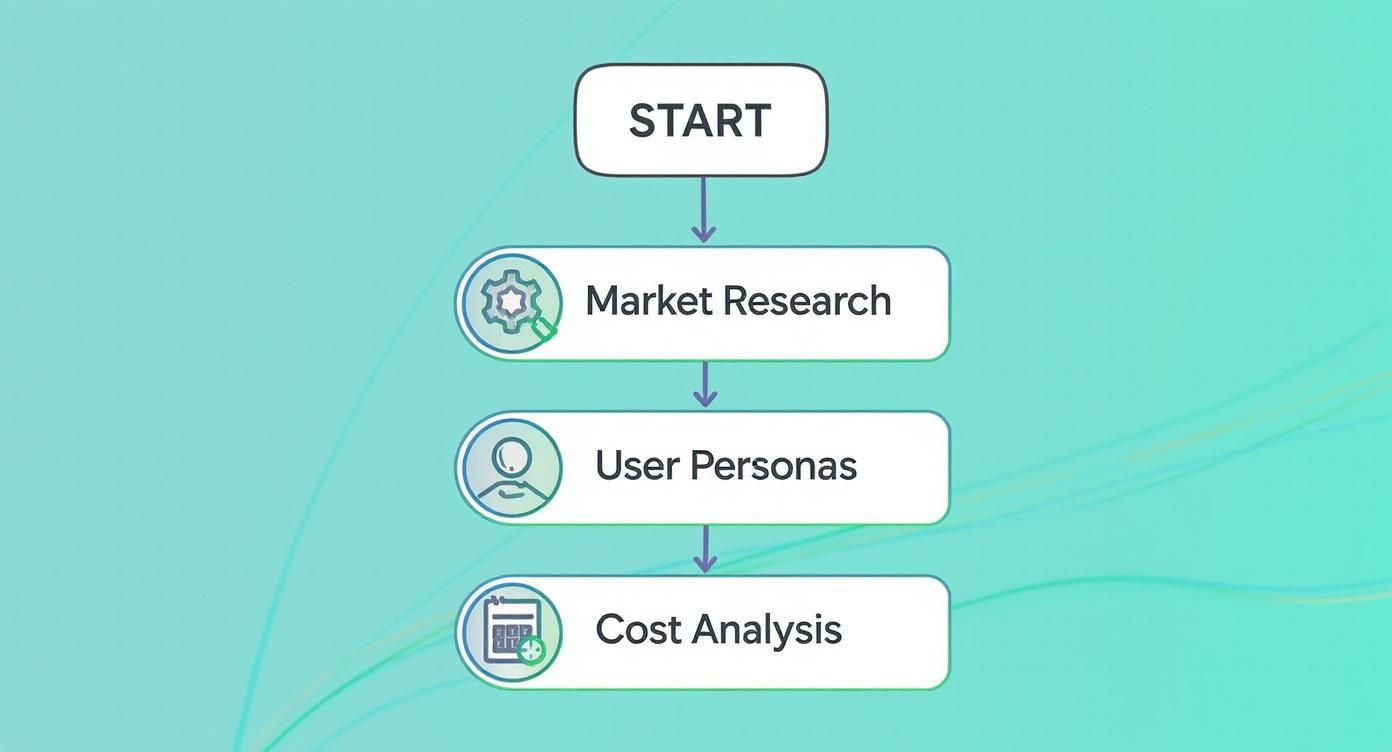
As you can see, a solid monetization strategy isn't something you tack on at the end. It grows organically from a deep understanding of your users and the market.
Subscriptions and Premium Models
Subscriptions are the lifeblood of the modern app economy. Why? They generate predictable, recurring revenue, which is a game-changer for budgeting, scaling, and long-term planning. This model is a perfect fit if your app provides:
- Ongoing Content: Think streaming services, news apps, or online courses.
- Essential Services: Things like cloud storage, powerful productivity tools, or security apps.
The classic premium (paid upfront) model is less common these days, but it still has its place. It works best for niche utility apps or professional-grade tools that deliver a clear, immediate, and high-value benefit. The major challenge here is getting someone to pay before they’ve even tried your app. This requires a stellar brand reputation and a value proposition that is impossible to misunderstand.
Comparing App Pricing Models
To help you visualize the trade-offs, here’s a side-by-side look at the most common models. Think carefully about where your app fits.
| Model | Best For | Pros | Cons |
|---|---|---|---|
| Free with Ads | Casual games, content apps with high traffic | Easiest way to monetize a large, non-paying user base. | Can disrupt the user experience; low revenue per user. |
| Freemium | Games, productivity, lifestyle apps | Low barrier to entry; high user acquisition potential. | Requires a large user base to be profitable; balancing free vs. paid features is tricky. |
| Subscription | Content, services, SaaS | Predictable, recurring revenue; fosters user loyalty. | High user expectations; constant need to provide new value to prevent churn. |
| Paid (Premium) | Niche utilities, professional tools, high-value games | Upfront revenue; attracts serious, committed users. | High barrier to entry; difficult to get downloads without a strong brand. |
| In-App Purchases | Mostly games, but also content and social apps | Flexible revenue stream; can be highly profitable with engaged users. | Can feel manipulative if not implemented well; revenue can be unpredictable. |
Each path has its own set of benefits and potential pitfalls. Choosing the right one is about matching the model to the specific value your app delivers to its users.
A common mistake I see is trying to force a model that doesn’t fit the app's core function. If your app solves a one-time problem, a subscription will feel exploitative. If it offers continuous value, a one-time fee leaves money on the table.
This is a big decision, and there are many nuances to consider. If you want to dive deeper, our guide on how to monetize mobile apps explores hybrid models and more advanced tactics.
Ultimately, getting the price right means picking a model that aligns with user expectations and supports your business goals. Headspace wouldn't work as a one-time purchase, and a simple photo filter app would have a hard time justifying a monthly subscription. Your choice has to feel like a fair exchange for everyone involved.
Alright, you've picked a monetization model. That's a great start, but it’s only half the equation. Now comes the tricky part: putting actual dollar amounts on your plans. This isn't about what you think your app is worth. It's about what your users perceive its value to be.
The goal is to hit that sweet spot where the price feels like a no-brainer—a fair trade for the problem you're solving.
How to Find Your "Value Metric"
First things first, you need to figure out your value metric. Think of it as the core "unit" of value your customers are actually paying for. It’s what should grow as they get more and more out of your app.
Here are a few real-world examples:
- For a project management tool like Asana, it’s the number of user seats.
- For a cloud storage service like Dropbox, it’s the gigabytes of storage space.
- For an email marketing platform like Mailchimp, it's the number of contacts in a list.
A solid value metric is crucial because it aligns your revenue directly with your customers' success. When they grow, you grow. It’s the perfect win-win.
Structuring Your Pricing Tiers
Once you know what you're charging for, you can start bundling features into different tiers. A tiered structure is incredibly effective because it lets you cater to different types of users—from the solo founder to the massive corporation—and gives them a clear path to upgrade as their needs get more complex.
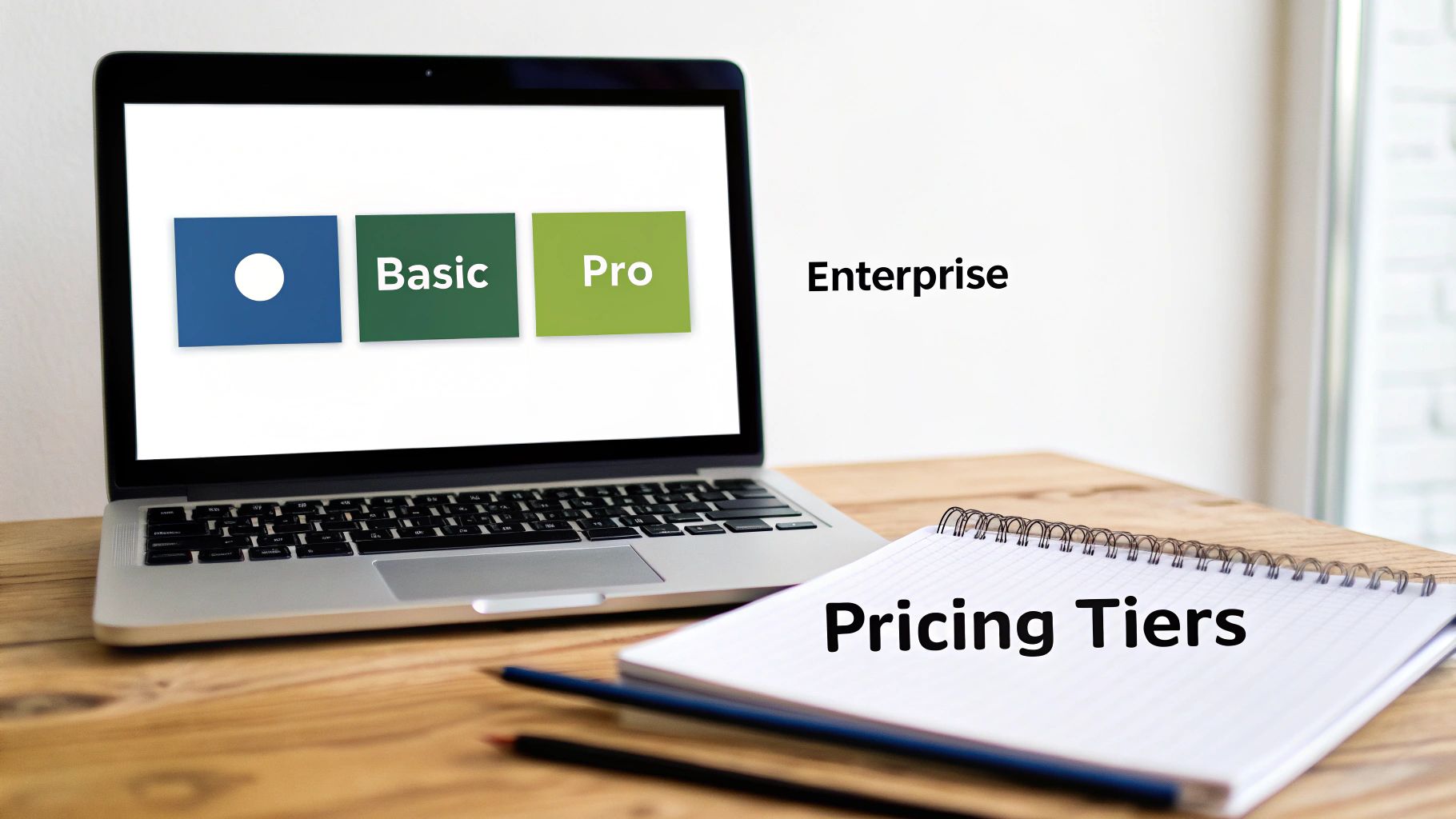
The classic three-tier system (think Basic, Pro, Enterprise) is popular for a reason. It just works.
- The Entry-Level Tier (Basic): This is your foot in the door. It’s designed for individuals or really small teams. Give them enough core functionality to see the magic, but hold back just enough to make upgrading tempting.
- The "Most Popular" Tier (Pro): This should be your bread and butter. It's built to solve the main problems for your ideal customer persona and should pack in all the features they care about most. You want most new sign-ups to land here.
- The Power-User Tier (Enterprise): This one is for the big fish. Think large organizations that need advanced security, a dedicated support manager, or custom integrations. You'll often see a "Contact Us" button here instead of a fixed price, which opens the door for custom-negotiated contracts.
The secret to good tiers isn't just adding more features—it's meaningful differentiation. Each plan needs to feel like a significant step up from the last. If the only difference between your "Basic" and "Pro" plans is a slightly higher API limit, nobody is going to feel the pull to upgrade.
Using a Little Pricing Psychology
Believe it or not, how you present your prices can be just as important as the numbers themselves. People aren't always logical when it comes to money, and a few simple adjustments can completely change how your pricing is perceived. These aren't shady tricks; they're time-tested ways to frame your value.
One of the oldest in the book is charm pricing. We’ve all seen it: pricing something at $9.99 instead of $10.00. Our brains are wired to read left to right, so we anchor on the "9" and the price instantly feels lower, even though it’s only a one-cent difference.
Another powerful strategy is decoy pricing. Let's say you have two plans: a Basic plan at $10 and a Pro plan at $20. To make the Pro plan look like an absolute steal, you could introduce a "Plus" plan in the middle for $18 that offers just a tiny bit more than the Basic plan. Suddenly, the $20 Pro plan seems like a much better deal. The "Plus" plan is the decoy; its only job is to make the Pro plan the obvious choice.
Designing and Testing Your Paywall
This is your moment of truth. The paywall is that critical handshake where a free user decides if what you're offering is actually worth their hard-earned money. If this screen doesn't work, even the most perfectly researched pricing strategy will fall flat.
The single most important rule for a high-converting paywall is clarity over cleverness. A user needs to know exactly what they get for their money in a matter of seconds. Ditch the jargon. Instead of listing a feature like "Advanced filters," frame it as a benefit: "Find the perfect photo in seconds."
You also have to make the payment process itself completely frictionless. The fewer taps to subscribe, the better. Integrating native options like Apple Pay or Google Pay can slash your drop-off rates at this final, crucial step.
Choosing Your Paywall Strategy
There's no one-size-fits-all paywall. The right approach depends entirely on how your app works and when you think a user will be most ready to pull the trigger on a subscription.
- Hard Paywall: This is the bouncer at the door. No one gets past without paying. It’s a bold move that works best for apps with high-demand, exclusive content where the value is obvious upfront—think The Wall Street Journal or a niche, professional tool.
- Soft Paywall: This is the "try before you buy" model. You give users a certain number of free articles, actions, or a taste of premium features before the paywall appears. It's a great way to let the value of your app sink in before asking for a commitment.
- Dynamic Paywall: This is the smartest approach, but it's more complex. Here, the paywall is triggered by specific user behavior. For example, it might only show up after a user tries to access a feature you know is a high-value driver for upgrades.
My advice? Start simple. Triggering a paywall when a user tries to use a specific premium feature is the most logical and easiest place to begin. They wanted to do something valuable, and you’re right there offering them the key.
The Power of A/B Testing
Never, ever assume your first paywall design is the best one. You’re just guessing. The only way to find out what truly works is to test, test, and test again. A/B testing is non-negotiable here, letting you pit different versions of your paywall against each other to see what actually moves the needle.
You'd be shocked at how tiny tweaks can lead to massive wins. Here are a few things you should be testing constantly:
- Headlines and Copy: Does a benefit-driven headline like "Unlock Your Full Potential" convert better than a straightforward one like "Get Unlimited Access"?
- Call-to-Action (CTA): Test the button text itself. "Start Your Free Trial" often works better than the more demanding "Subscribe Now."
- Visuals and Layout: Try different background images or videos. Test a bulleted list of features against icons. See if highlighting a specific plan with a "Most Popular" banner makes a difference.
- Timing and Triggers: When does the paywall appear? Test showing it during onboarding versus after a user has completed three key tasks in the app.
Let the data be your guide, not your gut. Continuous testing is the secret to a high-performing paywall. For a broader look at getting your app market-ready, our guide on launching the app dives deep into other crucial optimizations you should be making.
How to Measure and Refine Your Pricing
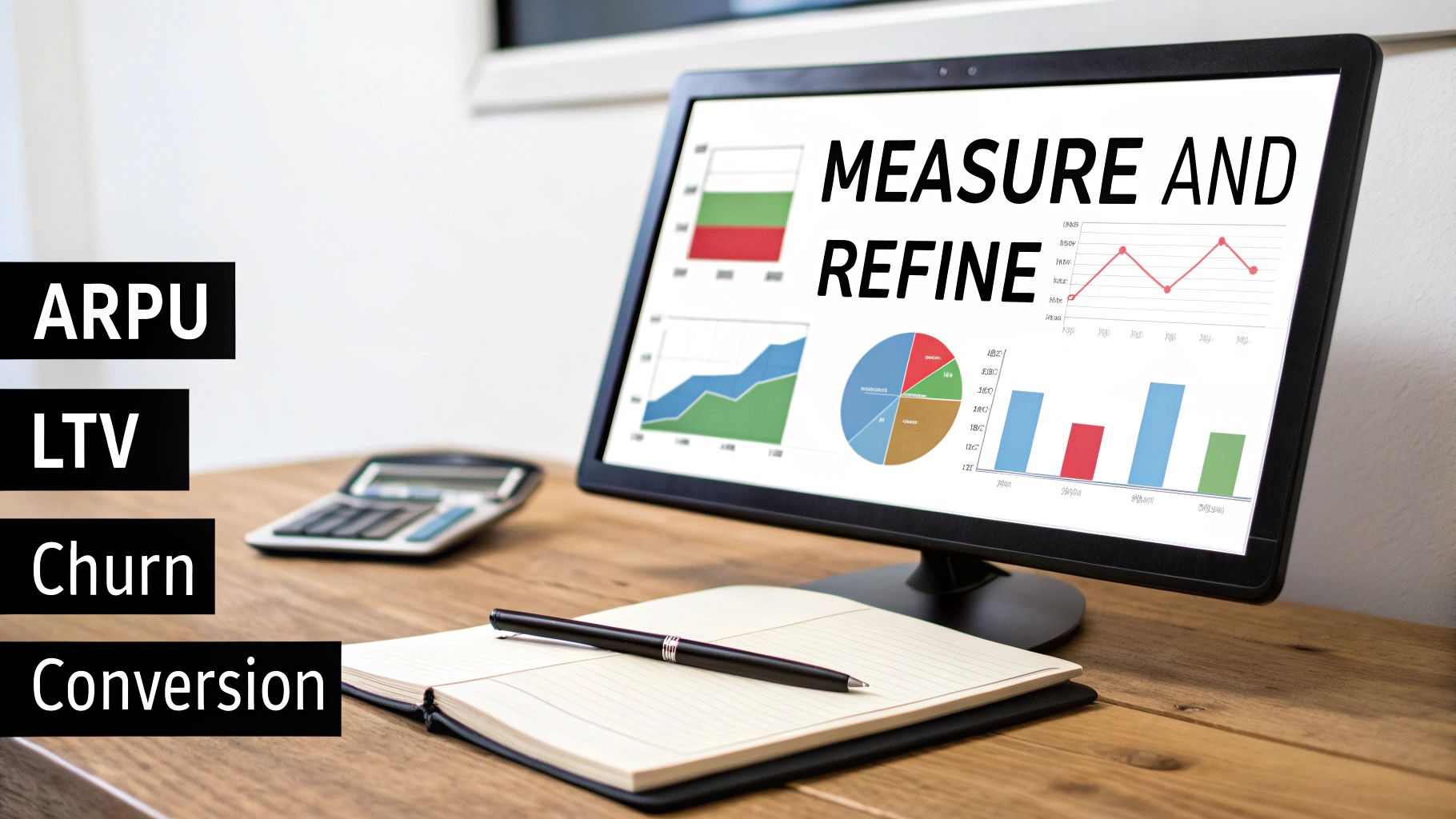
If you think setting your prices is the finish line, I've got some news for you. That was just the starting gun. The real work in pricing an app starts after you launch. It’s a constant loop of measuring what works, listening to your users, and making smart, data-informed tweaks.
Your pricing strategy can't be a static artifact. If you set it and forget it, you'll quickly drift out of sync with your customers' needs and the market itself. To get started, you have to get comfortable with the data. A few core metrics will give you a clear, honest look at how your pricing is actually performing. These aren't just numbers to impress investors; they're the vital signs of your app's financial health.
Key Metrics to Monitor
Your analytics dashboard is about to become your new best friend. You need to focus on the numbers that directly tie user actions to revenue. This is how you'll diagnose problems and, more importantly, spot opportunities.
Conversion Rate: What percentage of your free users are pulling out their wallets to become paying customers? A low conversion rate is a flashing warning light. It could mean your price is too steep, or maybe your paywall just isn't doing a good job selling the value of your premium features.
Average Revenue Per User (ARPU): This is your total revenue divided by your total users. It's a simple but powerful metric that tells you, on average, how much each user is worth. Tracking ARPU is crucial for understanding the overall effectiveness of your monetization strategy.
Customer Lifetime Value (LTV): This metric goes deeper, predicting the total amount of money a customer will spend with you over their entire time using your app. A healthy LTV means you’ve built a product that people stick with, creating long-term, sustainable revenue.
Churn Rate: Churn is the enemy. It’s the percentage of subscribers who cancel in a given period (usually monthly). High churn is a massive red flag, often signaling a painful disconnect between the price you’re charging and the value your app is delivering over time.
These metrics offer a powerful snapshot, but they don't exist in a vacuum. To really understand your business, you need to see how they influence each other. Our detailed guide on key subscription business metrics can help you connect those dots.
Looking Beyond the Numbers
Data tells you what is happening. It will never tell you why. For that, you need to actually talk to people. Qualitative feedback from your users—both the ones who upgraded and the ones who didn't—is where you'll find the real story behind the numbers.
Don’t be afraid to reach out to users who churned. A simple, non-confrontational email asking, "What could we have done better?" can provide invaluable, brutally honest feedback that you won't find in any analytics report.
This is where the magic happens: combining the quantitative with the qualitative. Your data might show a huge drop-off when users see the annual plan. A quick survey might then reveal that they're hesitant to make a big commitment without a monthly option to try first. This blend of hard data and human feedback is the engine that drives smart pricing adjustments.
Remember, app pricing strategies are constantly evolving. By 2025, in-app purchases are on track to make up 39% of total mobile app revenue, and in North America, the average revenue per user is expected to climb to $58.30. This just goes to show how critical it is to build a pricing model that can adapt to regional trends and effectively monetize ongoing user engagement. You can dig into more insights on these mobile app growth statistics.
Common Questions About App Pricing
Even with a killer strategy in hand, you're going to run into some specific pricing questions that can stop you in your tracks. It’s completely normal to get hung up on the details, but getting the right perspective can make all the difference. Let's tackle the three questions I see pop up most often.
How Often Should I Change My App's Pricing?
There's no golden rule here, but the goal is to avoid erratic, frequent changes. Nothing spooks a user base faster than unpredictable pricing.
Think of major pricing overhauls as an annual check-in, or maybe tie them to a massive feature release. This frames any price increase as a direct reflection of new value you're providing. On the other hand, you should always be running smaller experiments in the background. Things like A/B testing a 7-day trial versus a 14-day one, tweaking the headline on your paywall, or offering a seasonal discount can give you a ton of data without alienating your entire audience.
The core idea is iteration, not instability. If you are making a significant price change for existing users, give them a heads-up well in advance. Honesty is the best policy for keeping loyal customers on your side, even when you’re asking for more money.
Should I Offer a Free Trial or a Freemium Plan?
This really comes down to what your app does and how complex it is.
A free trial—say, for 7 or 14 days—is a fantastic fit for more powerful, sophisticated apps. If users need some real time to understand the value and integrate your app into their daily life, a trial is the way to go. Think of tools like complex video editors or in-depth project management software; you need a week to really "get it."
A freemium plan works best for apps with a much broader appeal, where the core features provide ongoing value on their own. This model is a beast for user acquisition, letting you build a massive audience you can later convert to paying customers. Classic examples include cloud storage or simple note-taking apps. The free version is perfectly functional, but the power users will gladly pay for more features or storage.
How Do I Handle Pricing for Different Countries?
Setting one price for the entire world is a huge mistake. The best strategy is localized pricing, which is so much more than just converting USD to the local currency. It's about adapting your price points to what the local market can actually bear.
This means looking at local purchasing power, what competitors are charging in that specific region, and the general economic vibe. A $9.99/month subscription might be an easy sell in North America, but it could be a complete non-starter in a developing market.
Fortunately, both Apple’s App Store and the Google Play Console give you the tools to set prices for specific countries or regions. My advice? Start with your top five international markets. Do a little research and set prices that make sense there. It’s a relatively small effort that can unlock entirely new revenue streams and boost your global adoption rates.
Ready to stop guessing and start optimizing? Nuxie is an AI-powered paywall studio that helps iOS developers design, target, and ship high-converting paywalls in minutes, not weeks. Integrate in about five minutes and start growing your subscription revenue today.