
privacy policy for an app: Quick Guide to Compliance
privacy policy for an app: Learn how to draft a compliant, user-friendly policy, cover GDPR/CCPA basics, and meet store rules.
Your app's privacy policy isn't just another legal hurdle to clear before you ship. I know it can feel that way—a tedious, last-minute task. But thinking of it as just a wall of legalese is a huge missed opportunity. It's actually one of the first, and most powerful, signals you send to users about your brand's integrity.
Why Your App Privacy Policy Is Not Just a Legal Document
Let's be honest, many developers see the privacy policy for an app as a box to check. We grab a template, fill in the blanks, and link it up to satisfy the app store review team. But that approach ignores a fundamental truth: in a world of constant data breaches, a clear and honest privacy policy is a massive competitive advantage.
It's not just about staying compliant with regulations like the GDPR or CCPA anymore. It's about building a real relationship with your users—one that's grounded in transparency and respect for their data.
The Shift in User Expectations
The era of blindly clicking "I agree" is over. Users are more savvy and skeptical about their digital footprint than ever before. We're not just imagining it; the data backs this up.
Recent studies show that around 7 in 10 global adults have actively taken steps to protect their online privacy. This trend is even more pronounced with younger users. A staggering 88% of Gen Z say they'll only share personal data if they genuinely trust the platform and know exactly how it's being used. You can discover more insights about data privacy trends here.
What does this mean for you? A straightforward, easy-to-read privacy policy can be the very thing that convinces someone to download your app instead of your competitor's. A confusing or hard-to-find policy does the opposite—it breeds distrust, invites bad reviews, and can send your churn rate through the roof.
Your privacy policy is a direct conversation with your users. Framing it as a user-centric document rather than a legal shield helps build the foundational trust necessary for long-term growth and user loyalty.
Beyond a Legal Checkbox to a Growth Tool
Instead of seeing legal frameworks like GDPR as roadblocks, think of them as guideposts that reflect what users already want: more control over their personal information. When you lean into this, your privacy policy transforms from a chore into a genuine asset for growth.
Here’s how a thoughtful policy can give you an edge:
- Boosts App Store Visibility: Both Apple's App Store and Google Play favor apps that are transparent about data practices. A clear policy, paired with accurate Privacy Labels, can actually improve your app's discoverability.
- Attracts High-Value Users: People who care about privacy are often more engaged and more willing to pay for products they trust. Your policy becomes a marketing tool to bring these ideal users in.
- Reduces User Churn: It's simple. When people feel secure and understand how you're handling their data, they stick around.
At the end of the day, your privacy policy is part of your product's user experience. It deserves the same care and user-focused design as your app's UI. By getting it right, you're not just checking a box; you're showing users you respect them and are serious about building a business they can trust.
Trying to make sense of global privacy laws can feel like you're drowning in a sea of acronyms. GDPR, CCPA, LGPD—it's a lot to take in, especially when your focus is on building a great app. The good news is you don't need to become a lawyer overnight. The real goal is to grasp the core principles these laws share so you can build a compliant, user-respecting app from day one.
This isn't just a niche concern for apps with a European user base anymore. Global privacy regulation has exploded. In fact, a staggering 82% of the world’s population is now covered by at least one data privacy law. Landmark rules like the EU’s General Data Protection Regulation (GDPR) have completely changed the game, setting a high bar for how all apps must handle user data. If you want to dive deeper into what's coming, this detailed report on app publisher compliance is a great read.
Getting a Handle on GDPR for App Developers
The GDPR is often called the gold standard of privacy laws, and for good reason. Its core ideas have been borrowed and adapted by regulations all over the world, so understanding them is your ticket to creating a solid privacy policy for an app.
The biggest concept to wrap your head around is explicit consent. This means you can’t get away with pre-checked boxes or burying permission slips in your terms of service. For consent to be valid, it has to be freely given, specific, informed, and unambiguous.
For instance, if your app wants to send marketing emails, you need a clear, unticked checkbox that says something like, "Yes, I'd like to receive news and special offers." It’s all about putting the user in control.
Here's a look at the official GDPR information portal, which really drives home these core principles.
The whole point of the regulation is to give people control over their personal data. That’s the foundational idea you should build all your privacy features around.
Understanding Key User Rights Across Regions
While the legal language differs from place to place, most major privacy laws give users a similar set of fundamental rights. Building features to support these isn't just about checking a legal box; it's a powerful way to show respect for your users and earn their trust.
- The Right to Access: Users can ask for a copy of all the personal data you have on them. You need a system in place to pull this information together and provide it in a standard, machine-readable format, like a JSON file.
- The Right to Rectification: If a user notices their data is wrong or incomplete, they have the right to get it fixed. This could be as simple as an "Edit Profile" screen in your app.
- The Right to Erasure (or "Right to be Forgotten"): This is a big one. Users can request that you delete all their personal data. This means your backend needs to be able to permanently wipe their information, not just flag their account as "inactive."
- The Right to Data Portability: This lets users take their data from your app and move it to another service. It goes hand-in-hand with the right to access and reinforces the idea that users own their data.
A fantastic way to handle these rights is by building a dedicated "Privacy Center" right into your app's settings. A single screen where users can see their data, request a copy, and kick off a deletion request creates a transparent, user-friendly experience that also happens to satisfy legal requirements.
A Comparative Look at Major Regulations
While GDPR is the most talked-about, other laws have their own quirks you need to know, especially if you have a global user base. To create a privacy framework that works everywhere, you have to understand the key differences.
A quick comparison can help clarify where the goalposts are in different regions.
Key Global Privacy Law Requirements at a Glance
| Requirement | GDPR (EU) | CCPA/CPRA (California) | Key Takeaway for Developers |
|---|---|---|---|
| User Consent | Requires opt-in consent for most data processing. Silence or inactivity is not consent. | Primarily operates on an opt-out model, especially for the "sale" or "sharing" of data. | Your consent mechanism should be crystal clear. For EU users, default to collecting nothing until they explicitly agree. For Californians, you must provide an obvious "Do Not Sell/Share My Personal Information" link. |
| Definition of PII | Broadly defines personal data as anything that can identify a person, directly or indirectly. | Also has a broad definition, explicitly including identifiers like IP addresses, cookies, and device IDs. | Assume almost any data you collect from a device could be considered personal information and treat it accordingly. Document every single data point in your audit. |
| Child Privacy | Requires parental consent for users under 16 (member states can lower this to 13). | Requires opt-in consent for users under 16 and parental consent for users under 13 before selling their data. | If there's any chance your app could be used by minors, you absolutely need a robust age-gating system. The default should always be the highest level of privacy protection for children. |
Ultimately, these laws are pushing developers toward a common-sense approach: be transparent, give users control, and only collect what you truly need. By keeping these principles in mind, you can build a privacy-forward app that users trust, no matter where they are.
How to Conduct a Thorough Data Audit of Your App
You can't write an honest privacy policy for an app if you don't actually know what data it's touching. Before you even think about writing the policy itself, you have to put on your detective hat. A comprehensive data audit is the absolute bedrock—it’s the non-negotiable first step that makes sure your policy is accurate, compliant, and something users can actually trust.
This means meticulously mapping out every single data point your app collects, uses, or shares. It's about looking past the obvious stuff like names and emails and digging into the data streams running under the hood that power most modern apps.
Starting with the User Journey
The most logical place to kick things off is by walking through your app exactly like a brand-new user would. From the moment they launch it for the first time, start taking notes on every single interaction that could possibly generate or collect data.
This initial walkthrough will help you catch the most visible data points. Think about the entire user lifecycle and ask yourself some hard questions at each stage:
- Onboarding: What are you asking for during sign-up? Is it an email, name, password, or do you let them use social logins?
- Profile Creation: Do users give you a username, bio, profile picture, or any other personal details?
- Core Functionality: Does your app need to access the camera, microphone, contacts, or calendar to do its job?
- User Content: Are people creating and uploading their own stuff, like photos, notes, or messages?
Mapping out this journey gives you the first layer of your data inventory. This covers all the information you knowingly ask for.
The infographic below gives you a bird's-eye view of the major global privacy laws your audit needs to consider, from GDPR in Europe and CCPA in California to Brazil's LGPD.
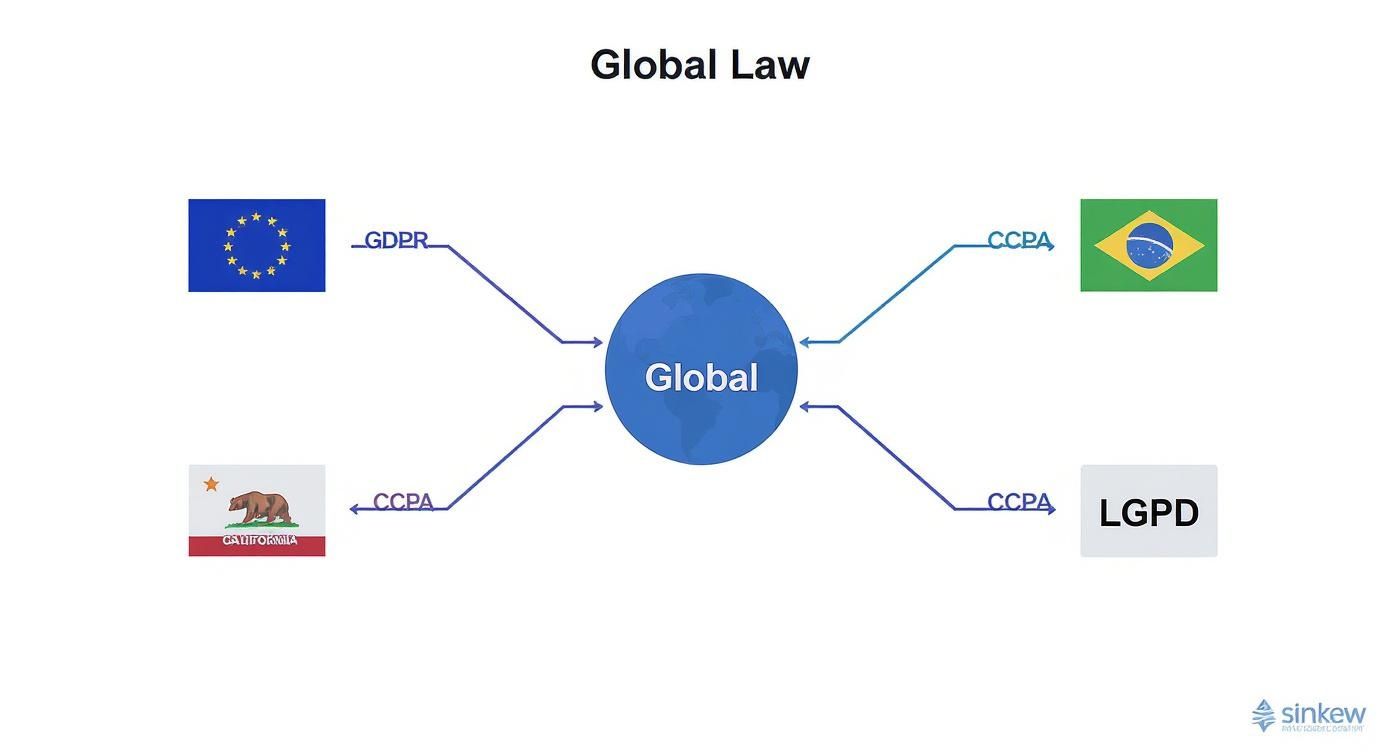
It’s a great visual reminder that even though the rules vary, they all point toward the same goal: protecting user data. That's why getting this audit right is so critical if you have a global user base.
Uncovering Hidden Data Collection
Here’s where things get tricky. The biggest compliance headaches usually come from data you don't even realize you're collecting. This is the information gathered automatically by your app's code or, far more often, by the third-party Software Development Kits (SDKs) you’ve pulled into your project.
It’s a surprisingly common blind spot. A wild 72.6% of iOS apps track private user data, and free apps are four times more likely to do it than paid ones. This means a huge number of apps, especially free ones, are vacuuming up user information, sometimes including sensitive data like background location. You can dig into more data privacy statistics to see just how widespread this is.
Pro Tip: Don't just take the documentation for your third-party SDKs at face value. I highly recommend using a network monitoring tool like Charles Proxy or Proxyman to watch the actual network traffic your app is sending out. You'll see exactly what data is being fired off to third-party servers, which can sometimes be a lot more than what the docs let on.
Documenting Every Data Point
Once you've identified all the places data is collected, it's time to get organized. Create a simple spreadsheet or document to serve as your master data inventory. This "single source of truth" will be your best friend when you start writing the policy.
For each data point, you should log the following details:
- Data Point: The specific piece of info (e.g., Email Address, Device ID, IP Address).
- Collection Method: How do you get it? (e.g., User input form, Analytics SDK, Crash Reporter).
- Purpose of Collection: Why do you need it? (e.g., Account authentication, Bug fixing, Ad targeting). Get specific here; "Improving the app" is way too vague for regulators.
- Third-Party Sharing: Is this sent to anyone else? If so, name them (e.g., Firebase, RevenueCat, Mixpanel).
- Data Storage Location: Where does this data live? (e.g., AWS us-east-1, On-device only).
- Retention Period: How long are you keeping it?
This structured approach turns a potentially overwhelming task into a manageable checklist. It also has a great side effect: you’ll probably find data you're collecting for no good reason. This is your chance to trim your data footprint and lower your compliance risk.
For developers using a platform like Nuxie, you can see how this detailed data mapping directly informs how user profiles are built, as we explain in our documentation on https://nuxie.io/docs/concepts/segments-and-events. At the end of the day, this audit isn't just about checking a legal box; it's a fundamental step toward building a privacy-first app that people will feel good about using.
Breaking Down Your Privacy Policy, Clause by Clause

Alright, you've done the hard work of auditing your data flows. You have a spreadsheet that maps out every piece of information your app touches. Now comes the part where we turn that technical inventory into a clear, compliant, and—most importantly—human-readable document.
The goal here isn't to draft an intimidating wall of legalese. It's about building trust. Think of each clause in your policy as a direct, honest answer to a question a user might have. A well-written privacy policy for an app anticipates these questions and answers them without hiding behind jargon. Let's walk through the essential sections you'll need to write.
The "What Information We Collect" Clause
This is the bedrock of your policy, and it's where your data audit spreadsheet truly shines. Your mission here is total transparency. You need to spell out not just what you collect, but also how you collect it.
I find it helps to group the data into logical categories so people can scan it easily. For instance, you could break it down like this:
- Information You Provide Directly: This is the obvious stuff. It’s the data a user types in, like an email address and password for their account, a username for their profile, or content they create in your app.
- Information Collected Automatically: This covers all the data gathered behind the scenes. Be specific. Don’t just say "device information." List what you actually mean: IP address, device model, operating system version, and unique device identifiers. This is also where you’ll mention data from analytics SDKs or cookies.
- Information from Third Parties: Do you use social logins like "Sign in with Apple" or Google? If so, you're getting data from those platforms. You have to disclose exactly what you receive, like their name and email address.
The golden rule here is to kill vague language. Don’t say you collect "user data to improve the service." Instead, get specific: "We collect crash logs and performance metrics to identify and fix bugs." The more precise you are, the more credible you sound.
The "How We Use Your Information" Clause
After telling users what you collect, the next logical question is why. This clause is all about connecting the dots between the data you gather and a legitimate function in your app. For every single data point you list, you need a clear purpose.
This is your chance to show you’re practicing data minimization—that you’re not just hoarding data for some future, undefined reason.
Here are a few real-world examples:
- "We use your email address to create and secure your account, send important service updates, and provide a password reset link if you forget your password."
- "We use your IP address to estimate your general location for content localization and to help prevent fraudulent access to your account."
- "We collect in-app purchase history to restore your purchases across devices and provide customer support for transaction-related issues."
This level of detail proves you've been thoughtful about your data practices.
The "Data Sharing and Third Parties" Clause
Let's be honest, no app is an island. You're almost certainly using third-party services for things like analytics, crash reporting, payments, or ads. In this section, you have to name every single one of them and explain what data you share and why.
This isn't optional under regulations like GDPR. The best way to handle this is a simple, clear list of your "sub-processors" or third-party vendors.
| Vendor | Purpose | Data Shared | Link to Their Privacy Policy |
|---|---|---|---|
| Firebase | Analytics & Crash Reporting | Device ID, usage events, crash logs | Firebase Privacy |
| RevenueCat | Subscription Management | Anonymous user ID, purchase history | RevenueCat Privacy |
| PostHog | Product Analytics | User interactions, session data | PostHog Privacy |
Including links to their privacy policies is a fantastic best practice. It gives users a clear path to understand how their data is handled by your partners, which only reinforces your commitment to transparency. If you're just getting started, be sure to review vendor documentation on how to properly integrate an iOS SDK to keep data handling clean from the start.
The "Data Security and Retention" Clause
People are trusting you with their information; they need reassurance that you're taking its security seriously. Here, you'll describe the measures you have in place. You don't need to give away your entire security architecture, but you should mention your general practices.
Good points to cover include:
- Using encryption for data in transit (like TLS/SSL) and at rest.
- Implementing strict access controls so only authorized personnel can get near user data.
- Regularly reviewing and updating your security practices.
Right alongside security, you need to state your data retention policy. How long do you hang onto user data after they delete their account? The guiding legal principle is to keep it only as long as necessary. A common and reasonable practice is to state that data is permanently deleted within a specific timeframe, like 30 or 90 days, after an account deletion request.
The "Your Rights and Choices" Clause
Finally, your policy needs to empower your users. This section is where you explain the control they have over their own information, which is a core requirement of GDPR, CCPA, and other modern privacy laws.
Clearly lay out the rights users have and provide dead-simple instructions on how to exercise them. These rights almost always include:
- Right to Access: The ability to ask for a copy of their personal data.
- Right to Rectification: The ability to fix info that’s inaccurate or incomplete.
- Right to Erasure: The ability to request the deletion of their account and all associated data.
- Right to Opt-Out: The ability to opt-out of certain data uses, like marketing emails.
Make it easy for them. Provide a clear point of contact, like a dedicated email (privacy@yourapp.com), for these requests. This isn't just about compliance; it's a fundamental part of building a product people trust.
Getting Your Policy Published and Keeping It Alive
https://www.youtube.com/embed/wUcK30W4JLk
Okay, so you’ve done the hard work. Your data audit is complete, the clauses are drafted, and you have a solid privacy policy sitting on your hard drive. But that's where it can't stay. A privacy policy is useless until it's public, and it becomes a liability the moment it's out of date.
Getting this last part right is about more than just checking a legal box. It’s the final step in proving to your users that you're serious about protecting their information. A policy that’s hidden or outdated tells users you don't really care. Let's make sure you nail this.
Giving Your Policy a Home
First things first: your policy needs a permanent, public web address. The app stores demand a direct URL, and it’s what your users will look for. You don't need a fancy setup, just something stable.
Here are a few no-fuss options I've seen work well:
- A Page on Your Website: If you have a marketing site for your app, this is the most professional route. Just add a new page at a clean URL like
yourapp.com/privacy. - GitHub Pages: This is a fantastic, free option for developers. You can host a simple static page directly from a repository. It's my go-to recommendation for indie projects.
- Notion or Public Docs: Tools like Notion let you publish a page to the web with one click. It’s a super fast way to get a clean, readable policy online without any web development.
The only real requirement is that the URL is public and stable—no logins required. For a great, real-world example of this in action, check out the straightforward approach of the Nuxie's privacy policy. It’s clean, easy to find, and gets the job done.
Where to Link to Your Policy
Once your policy has a URL, you need to sprinkle it in all the right places so regulators and users can find it without a scavenger hunt.
Your linking checklist must include these three spots:
- App Store Listings: This is non-negotiable. Both Apple’s App Store and the Google Play Store have a dedicated field for your privacy policy URL in your app's listing.
- In-App: Add a "Privacy Policy" link somewhere obvious, like in your settings menu, an "About" screen, or a "Legal" section. This is a user-friendly best practice and often a legal requirement.
- Account Creation: If users sign up for an account, place a link to the policy right next to the "Sign Up" or "Continue" button. This is your moment for getting clear consent.
My advice? Don't be clever here. Don't hide the link in tiny gray text at the bottom of a long screen. Make it as easy to find as any other feature. Accessibility builds trust.
How to Handle Updates (Because You Will Have Them)
Your app isn't static. You'll add new features, integrate new SDKs, or change how you process data. When that happens, your privacy policy must change with it.
How you tell your users depends on how big the change is:
- Minor Fixes: Correcting a typo or rephrasing a sentence for clarity? Just update the document and change the "Last Updated" date at the top. No big announcement needed.
- Material Changes: This is the important one. If you start collecting a new type of sensitive data, add a new analytics SDK, or begin sharing data with a new partner, that's a material change. You are obligated to proactively inform your users. This usually means an in-app pop-up, a push notification, or an email. Under rules like GDPR, you'll likely need to get their consent all over again.
A Simple Maintenance Checklist
To prevent your policy from gathering dust and becoming inaccurate, set a recurring reminder to review it. A quick check-in every quarter can save you a world of hurt.
Here’s a practical list to run through quarterly or after any major app update:
- New Features: Does any new functionality collect or process user data?
- SDKs: Have you added, removed, or updated any third-party libraries?
- Data Flows: Are you storing data in a new place or processing it differently?
- Broken Links: Click the policy links in your app and on the app stores. Do they still work?
By getting your policy out there and treating it like a living document, you complete your privacy obligations and show users you’re a developer they can trust.
Answering Your Lingering Privacy Policy Questions
Even after you've done the deep dive—auditing your data, mapping out flows, and drafting the policy—a few nagging questions can still bubble up. It's a complex process, and it’s completely normal to have those last-minute "what if" moments. Let's clear up some of the most common questions developers have before they hit publish.
Think of this as your quick-reference FAQ, tackling the real-world queries that often pop up right at the finish line.
What if My App Collects Absolutely No Data?
I hear this a lot, especially from developers behind simple utilities or offline games. But here’s the thing: you almost certainly still need a privacy policy. For one, app marketplaces like Apple’s App Store and Google Play simply require one for your listing. It's a box you have to check.
Beyond that, you might be collecting data without even realizing it. Using a third-party service for something as simple as crash reporting or basic analytics? That service is collecting data on your behalf. Your policy needs to cover this, even if the data is anonymous and aggregated.
A "no data collected" policy can be very short and sweet. Its job is to explicitly state that you don't collect, store, or share any personal information. This kind of transparency builds trust and satisfies app store rules.
Can I Just Copy Another App's Privacy Policy?
It’s tempting, I get it. Find a similar app, copy-paste, and you're done. But this is one of the riskiest shortcuts you can take. A privacy policy is a legal document that must be a true reflection of your app's specific data practices.
Copying someone else's isn't just a potential copyright issue; it's almost guaranteed to be wrong for your app. They might use different SDKs, follow different data retention schedules, or be subject to different laws. An inaccurate policy doesn't just mislead your users—it can land you in hot water with regulators, facing hefty fines under laws like GDPR. It’s always worth the effort to write your own based on a proper data audit.
How Often Should I Update My Policy?
Your privacy policy isn't a "set it and forget it" document. It's a living agreement between you and your users. Regulations like the CCPA legally require you to review and update it at least once every 12 months.
But the real driver for an update isn't the calendar; it's change. You should update your policy immediately whenever you:
- Roll out a new feature that collects a new type of personal data.
- Integrate a new third-party SDK, like for analytics or advertising.
- Change how or where you store user data (e.g., switching cloud providers).
- Begin sharing data with a new partner.
When you make a significant change, you also need to let your users know. This is often handled with an in-app notification that prompts them to review and accept the updated terms.
What’s the Difference Between a Privacy Policy and Terms of Service?
This is a classic point of confusion. They sound similar, but they do completely different jobs. You typically need both.
- A Privacy Policy is all about data. It explains what information you collect, why you collect it, and what you do with it. It’s focused on a user's privacy rights.
- Terms of Service (ToS) are the rules of your app. This document covers user conduct, payment terms for subscriptions, intellectual property rights, and what happens if someone misuses your service.
Here's an easy way to think about it: the privacy policy is about their information, and the ToS is about their actions. They're two sides of the same coin, working together to create a clear and trustworthy user relationship.
At Nuxie, we believe building user trust is just as important as building a great product. Our platform is designed with privacy at its core, ensuring you can optimize your paywalls without collecting PII. See how you can grow your revenue responsibly at https://nuxie.io.