
What Is an In-App Experience Platform? a Guide for 2026
Learn what an in-app experience platform is and how it helps mobile teams build, test, and ship user journeys without app releases. A complete 2026 guide.
Most mobile teams don't have an idea problem. They have a shipping problem.
A product manager wants to test a shorter onboarding flow. Growth wants a personalized paywall after the third session. CRM wants a churn-prevention offer for subscribers who turn off auto-renew. Game ops wants to launch a weekend event banner and swap the store layout without waiting for the next client update. None of those requests are unusual. What slows teams down is that each one touches a different system, a different owner, and usually the app release pipeline.
That's why the phrase in-app experience platform matters. It describes a category of tooling that moves user-facing flows, targeting, experimentation, and measurement out of scattered point solutions and into a single remotely managed layer inside the app. For mobile product, growth, and engineering teams, that shift changes both speed and control.
The Hidden Bottleneck in Mobile Growth
The bottleneck usually shows up in a familiar sequence. A team designs a promising experience. Engineering estimates the work. The request gets split across sprint planning, SDK updates, QA passes, translation checks, store review timing, and release coordination. By the time the feature reaches users, the original hypothesis is stale or the segment that needed it has already moved on.
That release dependency creates two kinds of waste. First, engineers spend time wiring and rewiring UI that isn't core product logic. Second, non-engineering teams learn to ask for less because every experiment feels expensive. You end up with caution where you wanted iteration.
Why release cycles distort good decisions
A lot of mobile growth work is time-sensitive. Offers are seasonal. Feature education matters most near first use. Paywalls work differently depending on referral source, entitlement state, or lifecycle stage. If every change requires a binary release, teams avoid nuance and ship broad experiences to everyone.
That's also where quality risk creeps in. Independent mobile-experience reporting found that nearly 50% of users experience daily app performance issues, and mobile engineers rank performance monitoring as their top challenge, according to Embrace's state of mobile experience reporting. That matters because a growth surface that hurts startup time, rendering, or stability can erase whatever conversion gain it was supposed to create.
Practical rule: If a team can ship a campaign but can't connect it to app performance and downstream retention, they're not running a growth system. They're placing UI on top of uncertainty.
What teams are really trying to buy
Often, teams don't want another builder. They want a safer operating model.
They want product and growth teams to launch onboarding flows, announcements, offers, surveys, and monetization moments without filing a ticket for every copy change. They want engineering to define the guardrails once, then stop acting as the manual deployment layer for every test. They want one place to decide who sees what, when it appears, and how impact gets measured.
That's the shift from fragmented tooling to a unified in-app experience layer. It de-risks releases because fewer user-facing changes have to wait for app store cycles. It also improves accountability because the same system that delivers the experience can capture exposure, audience logic, and experiment state.
What an In-App Experience Platform Actually Is
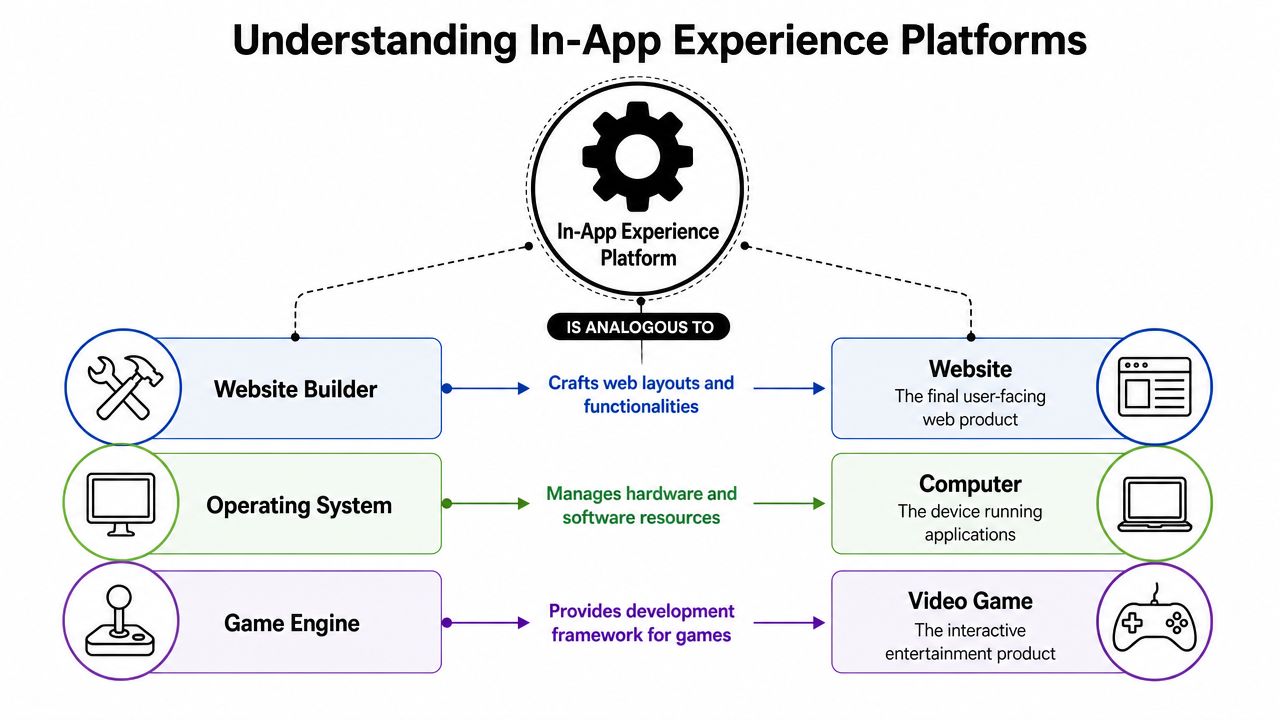
The easiest way to explain an in-app experience platform is this. It's a CMS for native apps, except it manages more than content.
A lightweight SDK sits in the app. That runtime fetches, caches, and renders experiences that teams define remotely in a dashboard. Those experiences can include screens, modals, multi-step flows, onboarding, promotions, checklists, surveys, feature education, and monetization surfaces. The platform also carries the logic around them, such as targeting rules, eligibility, sequencing, and experiment assignment.
What lives in the app and what stays remote
The app binary still owns core product capabilities. It contains your native views, business logic, rendering engine, account state, and secure integrations with platform services. The in-app experience layer sits on top of that foundation and controls experiences that benefit from fast iteration.
In practice, that means teams can remotely update:
- Onboarding flows that change by acquisition source or declared intent
- Feature announcements triggered after a user reaches a specific state
- Paywalls and offers that depend on subscription or entitlement status
- LiveOps surfaces such as event cards, shops, rewards, and prompts in games
The good implementations feel native because they render with platform-aware components instead of dropping a generic web layer on top of the app.
Why remote config alone isn't enough
A lot of teams try to solve this with feature flags and remote config. That works for simple switches. It doesn't work well for rich, multi-step user journeys.
Remote config can tell the app whether to show experience A or B. It usually doesn't provide a real design system, a visual editor, sequencing, analytics tied to exposure, or a usable workflow for product and growth teams. At the other end, webviews make iteration easier but often create UI inconsistency, performance overhead, and edge-case behavior around navigation, accessibility, and billing flows.
A useful test is simple. If non-engineers still need engineering every time they want to change layout, logic, or targeting, you don't have an in-app experience platform. You have remote toggles.
There's also a historical reason this category looks the way it does. Adobe Experience Platform helped define the enterprise model for unified experience infrastructure. Adobe describes AEP as a system that unifies data collection and activation, with architecture centered on mobile SDK event capture, identity resolution, and real-time decisioning. That architecture established a major template for modern in-app experience platforms, as shown in Adobe Experience Platform's product overview.
The Core Capabilities That Power Growth
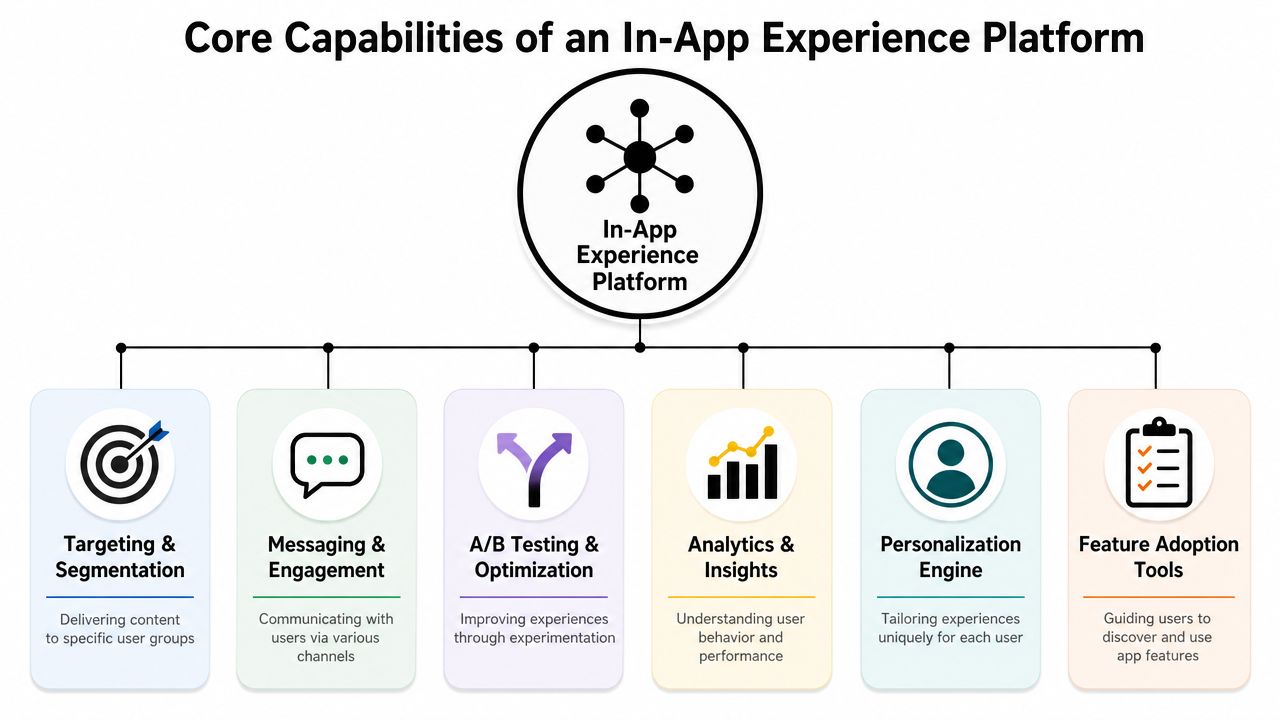
Growth teams feel the difference between a tool and a platform when they stop filing tickets for every onboarding change, paywall test, or win-back message. At that point, the in-app layer is doing operational work. It is reducing release dependency, keeping experiences consistent across platforms, and letting product, growth, and monetization teams ship changes without putting the app build at risk.
Runtime and remote publishing
The runtime is the part users notice first. If it stutters, ignores native patterns, or breaks under weak connectivity, the rest of the stack does not matter.
A mature runtime should handle:
- Remote delivery so teams can publish experiences without waiting for app store releases
- Caching and offline readiness so flows behave predictably when network quality drops
- Rich interaction support including animation, multi-step logic, and conditional states
- Safe fallback behavior so bad content fails gracefully instead of blocking the app
Cross-platform support matters here more than vendor demos suggest. iOS and Android parity is already hard. Add React Native, Flutter, Unity, or Unreal, and small rendering differences turn into QA overhead, support tickets, and inconsistent conversion data. A unified runtime reduces that drift.
Targeting and personalization
Fragmented stacks usually break at the audience layer. Analytics defines events one way, CRM stores traits another way, and the paywall tool has its own idea of subscription state. Teams end up shipping broad campaigns because precise targeting is too brittle to trust.
The better setup keeps decisioning close to delivery. The platform should evaluate behavior, lifecycle state, entitlement status, and progression in one place, then decide what to show in real time. That is how teams move beyond generic prompts and start serving the right upgrade path, onboarding step, or retention message to the right user.
For teams refining that logic, this guide to behavioral segmentation for product and growth teams gives a useful framework.
Experiments and analytics
A high click-through rate on a modal can still hide a bad decision. I have seen paywall variants increase taps and lower downstream revenue because they pulled users into the wrong offer sequence or created more refund-prone purchases.
Good platforms measure more than exposure and clicks. They tie each experience to conversion, retention, and revenue outcomes, and they make holdouts possible so teams can compare users who saw the system against users who did not. That sounds straightforward, but it usually falls apart when experimentation, analytics, and billing data live in separate tools with different event timing and user identity rules.
The practical requirement is simple. Product teams need experiment reads they can trust enough to ship without another release cycle.
Billing and entitlement awareness
Monetization workflows get messy fast. A paywall is only the visible layer. Underneath it, the app has to interpret store receipts, trial status, grace periods, renewals, cancellations, restorations, and cross-device entitlement changes before deciding what message or offer comes next.
That is why billing-aware platforms change the operating model. They let the in-app layer respond to real purchase state instead of guessing from clicks or stale attributes. Non-engineering teams can adjust win-back flows, upgrade prompts, and renewal messaging remotely, while engineering keeps control of the underlying purchase and entitlement logic.
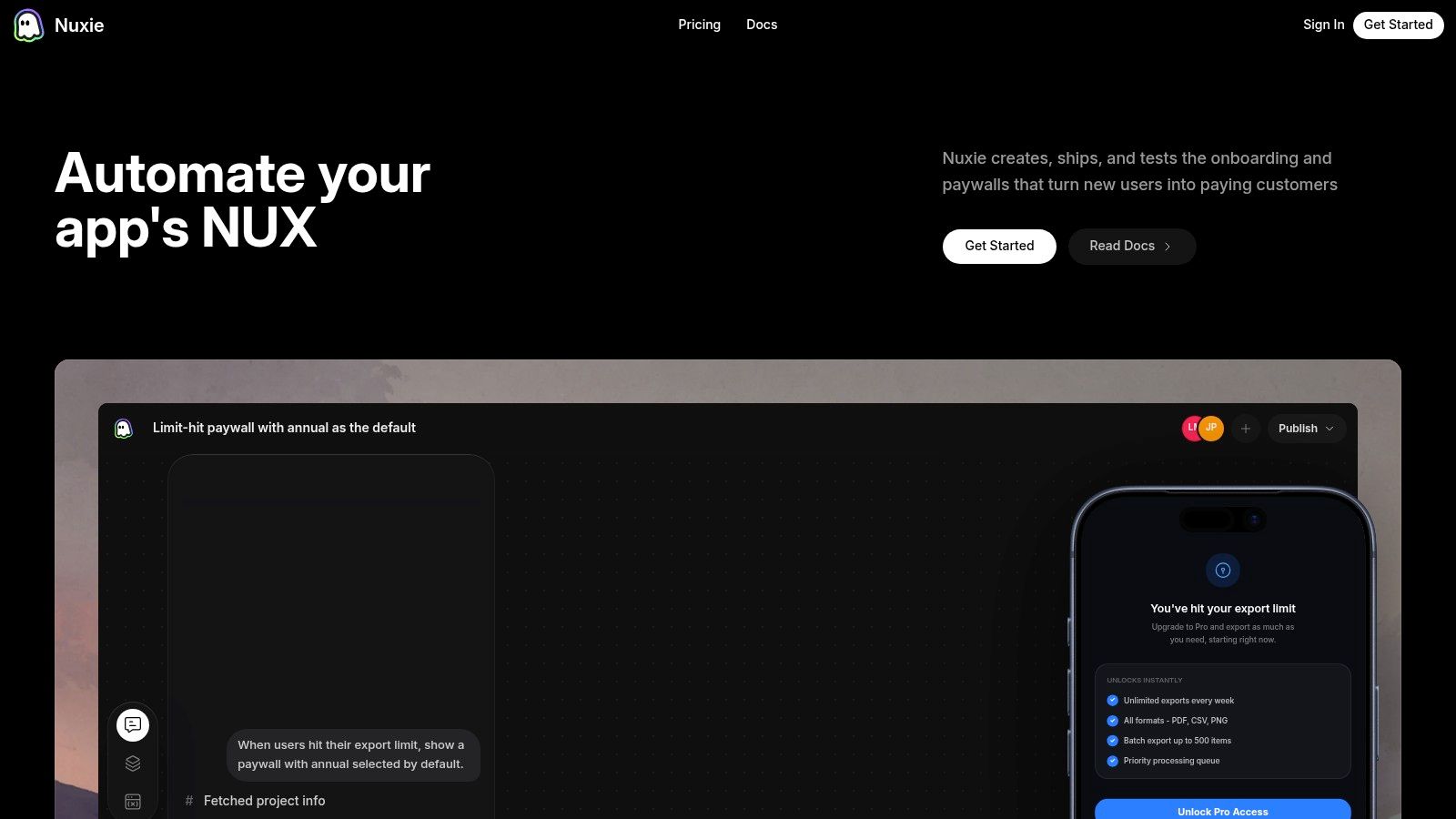
One option in this category is Nuxie, which combines in-app experiences, experiments, analytics, billing, purchase data, and entitlements across iOS, Android, React Native, Flutter, Unity, and Unreal, and can work alongside existing providers without a revenue-share fee.
How These Platforms Integrate with Your Stack
The integration question isn't whether you can add another SDK. It's whether the platform becomes a silo.

A good implementation keeps your existing analytics and warehouse strategy intact. The SDK captures events and user properties needed for experience delivery, but it shouldn't trap them inside a separate reporting island. Product teams may still analyze behavior in Amplitude or Mixpanel. Data teams may still model long-term value in the warehouse. CRM may still orchestrate lifecycle campaigns elsewhere. The in-app layer should enrich that stack, not replace all of it by force.
A practical integration pattern
The cleanest pattern usually looks like this:
- Install the client runtime in iOS, Android, React Native, Flutter, Unity, or Unreal.
- Define a shared event schema for the small set of events and properties that drive eligibility, personalization, and measurement.
- Map identity and consent states so user resolution stays consistent with the rest of your stack.
- Forward or mirror data into existing analytics tools and warehouse pipelines.
- Connect billing and entitlement sources if monetization experiences depend on real purchase state.
The hidden work is almost always in the schema. Event names, user properties, consent states, and purchase events need to mean the same thing across every client and backend touchpoint. If they don't, your targeting becomes brittle and your experiment readouts become hard to trust.
A lot of teams hit that wall when they expand beyond a single native app. Recent platform coverage notes that major mobile experience tooling now supports iOS, Android, Flutter, and React Native in one layer, while also highlighting the operational burden of aligning schema, consent, and event models across frameworks in this report on mobile experience platform expansion.
Provider-agnostic usually ages better
Closed platforms are attractive early because setup feels simpler. The trade-off appears later, when a team wants to keep its warehouse model, preserve Amplitude dashboards, continue using Segment pipelines, or swap out one part of the stack without rewriting everything.
That's why provider-agnostic architecture tends to hold up better. It lets teams keep a source of truth they already trust while using the in-app layer for what it's best at: delivery, decisioning, and experimentation. If you're trying to reduce release friction broadly, this operational guide to launching an app with fewer downstream bottlenecks is closely related.
For a visual walkthrough of how these layers fit together in practice, this short demo is useful:
Concrete Use Cases for Apps and Games
The category gets clearer when you look at what teams ship.
Mobile app workflows
For subscription apps, a common pattern is a multi-step onboarding quiz that collects intent, routes users into a personalized first-session path, and then triggers a paywall only after the app has demonstrated some value. The same system can show feature education to non-converters, a softer trial reminder to eligible users, and a win-back prompt when entitlement lapses.
For content, health, productivity, and utility apps, the strongest use cases usually involve contextual moments:
- Onboarding quizzes that personalize first-run setup
- Feature announcements tied to actual product usage instead of generic blasts
- Upgrade prompts based on behavior, not just session count
- Churn-prevention offers triggered by cancellation intent or subscription risk states
These work because the experience shows up in context, not because the modal design is flashy.
Game LiveOps and economy moments
Games use the same mechanics with a different cadence. Instead of onboarding and feature discovery, the emphasis is on LiveOps, economy tuning, progression pacing, and store presentation.
A unified in-app experience layer can support:
- Timed event surfaces that appear only during a live event window
- Dynamic shop layouts that reflect player segment, progression, or purchase history
- Season pass promotions linked to player state and reward milestones
- Reward screens and achievement prompts that increase momentum after key actions
For Unity and Unreal teams, this matters because LiveOps often wants to move faster than client release schedules allow. Remote control shortens the path from idea to launch, but only if the runtime is stable and the targeting rules are reliable.
Why visual tooling changes team structure
The biggest organizational change isn't technical. It's who can ship.
When a designer, product manager, growth lead, or LiveOps manager can assemble flows in a visual editor, preview them, target them, and publish them under defined guardrails, engineering gets pulled out of the middle of routine launch work. Engineers still own the SDK, templates, data contracts, performance budgets, and billing correctness. They just stop being the queue every experiment waits in.
The strongest teams don't remove engineering from the process. They move engineering to the platform boundary, where leverage is higher and release risk is lower.
Evaluating and Choosing the Right Platform
Most demos look good. The hard part is evaluating what breaks under real operating conditions.
What to examine before you buy
Start with the runtime. Ask how the SDK behaves under weak connectivity, whether experiences are cached, how rendering failures are handled, and how much control you get over native styling and fallback logic. For cross-platform teams, don't accept vague “supports mobile” language. Verify your actual stack: iOS, Android, React Native, Flutter, Unity, or Unreal.
Then look at workflow fit. If product, growth, and CRM still need engineers for every meaningful change, the platform won't remove your bottleneck. If experiments can't be tied to exposures and business outcomes, reporting will devolve into local wins and attribution arguments.
Pricing deserves more scrutiny than feature lists. Some tools charge by seats, some by MAU tiers, and billing-focused products may monetize through revenue share. That pricing model changes the long-term cost profile, especially if billing and entitlement data become central to your stack. Teams doing monetization work should also care about whether the platform can coexist with existing tools instead of forcing a rip-and-replace.
Platform approach comparison
| Criteria | Stitched Point Solutions | Unified Experience Platform |
|---|---|---|
| Launch speed | Changes bounce between multiple tools and owners | One delivery layer manages targeting, experience logic, and publishing |
| Data consistency | Event definitions and audience rules drift across tools | Shared schema and exposure tracking are easier to govern |
| Cross-platform operations | Separate implementation details often diverge by client | A single operational layer reduces duplicate setup work |
| Experimentation | Exposure, variants, and outcomes often live in different systems | Experiment state stays closer to delivery and measurement |
| Billing awareness | Paywalls may be disconnected from entitlement truth | Monetization decisions can reflect actual purchase state |
| Team workflow | Engineers stay in the middle of routine updates | Non-engineering teams can ship within guardrails |
| Total cost of ownership | Lower initial commitment, higher coordination overhead | Higher platform dependence, lower tool sprawl if adopted well |
A unified platform isn't automatically better. If your app only needs a couple of hardcoded flows and a simple subscription setup, point solutions may be enough. But once the team starts optimizing onboarding, monetization, retention, and LiveOps at the same time, stitched systems get expensive in engineering time and operational ambiguity.
For teams that are already focused on monetization discipline, these conversion rate optimization best practices for mobile experiences pair well with platform evaluation.
Your Implementation and Migration Checklist
A good migration plan reduces release risk before it improves conversion. Teams get into trouble when they treat an in-app experience platform like a design tool install instead of a production system that will sit in the middle of onboarding, monetization, messaging, and billing state.
Start with one surface that matters, but will not break the business if something renders incorrectly. First-run onboarding, a feature announcement, or one paywall variant are good candidates. The goal in this phase is boring reliability. Confirm the SDK is wired correctly, identity resolution is stable, consent rules are respected, and the app can handle stale or missing remote payloads without exposing a broken screen.
Then run one remote experience through the full operating cycle. Design. QA. Publish. Exposure logging. Rollback. Reporting. If any part of that loop is shaky, scaling to ten flows will only multiply the failure rate.
A short implementation checklist helps:
- Freeze the event schema early so product, growth, and data teams are not reconciling renamed events a month later
- Define fallback behavior in the client so the app can show safe defaults when remote config, assets, or targeting rules fail
- Set approval paths so everyone knows who can publish, who can override, and who owns incident response
- Test cross-platform parity so iOS and Android do not drift on eligibility, rendering, or purchase state
- Validate billing and entitlement states before rolling out monetization surfaces, especially if you support multiple stores or subscription backends
Experimentation comes after the delivery path is stable. Use a persistent holdout group and judge impact against business outcomes that take time to show up, such as retention, renewal behavior, and downstream revenue. Teams that skip this step often overvalue tap-through rates or screen completion while missing subscription churn, offer cannibalization, or degraded long-term engagement.
The operational shift usually happens in phase four. Stop building one-off flows. Build templates with guardrails. Onboarding should use shared components. Promotional modals should follow the same targeting rules. Paywalls should read the same billing truth across platforms. That is what lets non-engineering teams ship routine changes without creating a queue for mobile releases, and it is what keeps engineering focused on product work that needs code.
If the rollout goes well, app releases get less crowded, growth work becomes easier to measure, and remote changes stop feeling risky because the platform is being run like part of your delivery stack, not a sidecar tool.
If your team is trying to replace fragmented analytics, paywall builders, experimentation tools, and entitlement plumbing with a single mobile operating layer, take a look at Nuxie. It's built for apps and games that want to remotely ship in-app experiences across major mobile frameworks while keeping analytics, billing, and entitlement workflows connected.