
The Developer's Playbook to Privacy Policy for Apps
Create a compliant privacy policy for apps that passes app store review. Our developer-first guide covers SDKs, GDPR, user consent, and real-world examples.
A privacy policy is the legal document that spells out exactly how your app gathers, handles, and shares user data. It's not optional. Both the Apple App Store and Google Play Store flat-out require one for submission, but more importantly, it's a massive trust signal for your users.
Why Your App Needs a Rock-Solid Privacy Policy
Think of your privacy policy less as a legal hurdle and more as a core part of your app's foundation. It directly affects everything from getting approved by Apple to keeping users around long-term. A weak or missing policy is one of the quickest ways to get that dreaded rejection email, killing your launch momentum before it even starts.
Imagine this: you've just spent months building your app. You submit it, feeling the excitement, only to get rejected. The reason? Your privacy policy didn't mention the data collected by a third-party analytics SDK you integrated. Now you're stuck. Your launch is on ice for weeks while you rewrite the policy, resubmit, and get back in the review queue. This isn't just a scary story; it’s an incredibly common—and expensive—mistake I see developers make all the time.
Building Trust Through Transparency
A clear, honest privacy policy is your best tool for earning user trust. People are more savvy than ever about their data. If your policy is packed with confusing legalese or seems to hide what you're collecting, you're raising a huge red flag. That hesitation can be the difference between a download and a pass.
This screenshot from GDPR.eu breaks down the core principles of data protection, focusing on things like lawfulness, fairness, and transparency.
These aren't just abstract legal concepts. They've become the baseline expectation for any app that users are willing to trust with their personal information.
This growing skepticism has real-world consequences. A study found that 47% of adults have actually stopped using a company's product or service specifically because of their data privacy practices. A transparent, easy-to-read policy shows you respect your users, turning a legal requirement into a genuine competitive edge.
Your Legal and Financial Shield
Before we dive into the specifics, let's touch on the major legal frameworks you'll likely run into. Getting this wrong can lead to some seriously steep fines, so it pays to know the landscape.
Key Legal Frameworks You Must Know
Here’s a quick-glance table of the big regulations that often apply to mobile apps.
| Regulation | Geographic Scope | Key Requirement for Apps |
|---|---|---|
| GDPR | European Union (EU) | Requires clear user consent for data collection and processing. |
| CCPA/CPRA | California, USA | Grants users the right to know, delete, and opt-out of the sale of their personal info. |
| CalOPPA | California, USA | Requires a conspicuous privacy policy link for any service collecting PII from Californians. |
| COPPA | United States | Imposes strict rules on apps directed at children under 13, requiring parental consent. |
A well-crafted policy is your primary defense against legal trouble. When you clearly state your data handling practices, like we do in our own privacy policy at Nuxie, you create a protective buffer for your business. It's your official record, shielding you from potential lawsuits and massive penalties down the road.
Performing a Thorough Data Audit on Your App
Before you even think about writing your privacy policy, you have to get your hands dirty and figure out exactly what data your app is touching. A policy that's inaccurate or incomplete is just as bad as not having one at all, and can get you rejected from the App Store in a heartbeat. Think of this audit as laying the foundation—get it right, and the rest of the process becomes much smoother.
Getting this wrong isn't just a compliance headache; it's a direct hit to your revenue. A simple policy mistake can get your app (or update) rejected, halting your launch and killing your momentum.
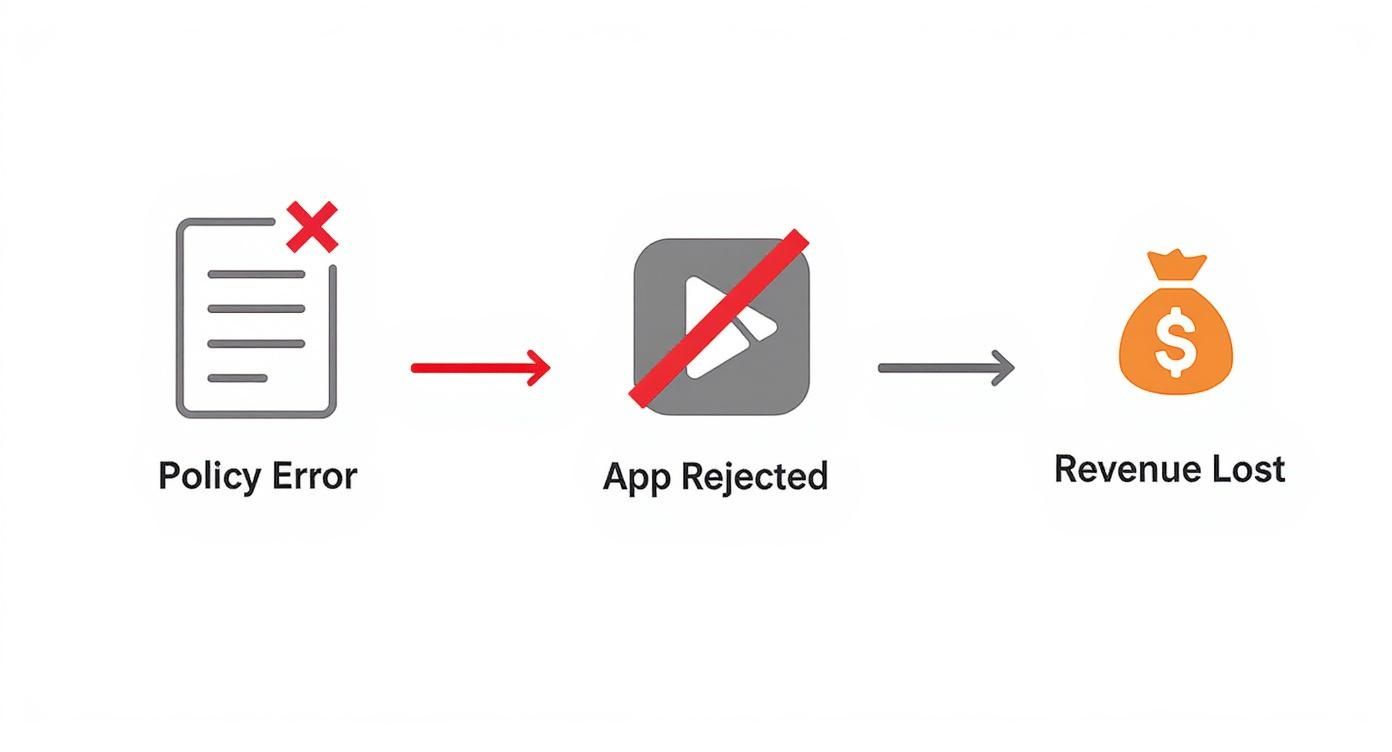
As you can see, a flawed data audit is often the root cause. It's a preventable error that can directly sideline your app.
Identifying First-Party Data Collection
First, let's map out all the first-party data—the stuff you collect directly from your users. It might seem obvious, but it's surprisingly easy to miss something if you're not methodical.
Go through your app screen by screen, interaction by interaction. Put yourself in your user's shoes and document every single point where you ask for or generate data.
Ask yourself these questions for every user flow:
- Account & Login: What do I ask for at signup? Email, name, username? Do I use social logins like "Sign in with Apple," which provides an anonymized email relay? That still counts.
- User-Generated Content: Can users upload photos, type notes, or leave comments? If you're storing it, you're collecting it.
- System Permissions: Does my app ask for the camera, contacts, microphone, or location? Every permission prompt corresponds to a sensitive data point you need to disclose.
- Device & Diagnostics: Am I grabbing the device model, OS version, or other technical info for analytics or to troubleshoot crashes?
A simple fitness app, for example, might collect an email for the account, pull workout data from a HealthKit integration, and use location services to track a user's run. Each of those is a distinct piece of data that needs to be on your list.
Uncovering Third-Party SDK Data Practices
Now for the part that trips up most developers: third-party SDKs. The tools you use for analytics, ads, crash reporting, or even paywalls are all collecting data on their own. When you integrate an SDK, you’re effectively adopting its data practices, and you're the one responsible for telling users about it.
Some platforms are built with privacy in mind. A paywall SDK like Nuxie, for instance, is designed to be privacy-first and doesn't collect any PII. But many other common tools are a different story.
- Analytics SDKs: Tools like Firebase or Mixpanel almost universally collect device identifiers, IP addresses, usage analytics, and crash logs.
- Attribution SDKs: Services like AppsFlyer or Adjust are built to capture advertising identifiers (like Apple's IDFA) to track how users found your app.
- Subscription Management SDKs: A platform like RevenueCat will track purchase data, but it also collects user and device IDs to manage access across platforms.
To figure out what these SDKs are doing, you'll need to do a bit of detective work. Start with the official documentation for every tool you've integrated. Look for a "Data Collection," "Privacy," or "Security" section. Firebase, for their part, does a good job of documenting what data each module collects. Your policy needs to reflect what they're doing on your behalf.
Pro Tip: Don't just take the documentation at face value. The absolute best way to know for sure is to see it for yourself. Fire up a network proxy tool like Charles Proxy or Proxyman and watch the traffic leaving your app in a test build. You'll see exactly what data each SDK sends home to its servers—no guesswork needed.
This step is non-negotiable. Documentation can be outdated, or an SDK might be collecting more than you think. By auditing your app's actual network calls, you're building a policy based on facts, not assumptions. It's what separates a trustworthy, compliant app from one that’s living on borrowed time.
How to Draft Your Essential Privacy Policy Clauses
Alright, you've finished your data audit. Now comes the part where you turn those findings into the actual words of your privacy policy. Let’s be clear: this isn't about grabbing a generic template and calling it a day. It’s about building an honest, clear document that accurately reflects what your app actually does with user data. We’ll go through it, clause by clause, using plain English that both your users and app store reviewers can easily digest.

Think of each clause as a foundational block for building user trust. Getting them right is key to creating a comprehensive privacy policy for apps that sails through review and gives you the legal footing you need.
What Data You Collect and Why
This is the absolute core of your policy. Pulling directly from your data audit, you need to list every single type of personal and sensitive data your app collects. Vague hand-waving like "we collect user data to improve our service" is a massive red flag for reviewers and will get you rejected fast.
You have to be specific and, most importantly, connect each piece of data to its purpose.
- Identifiers: "We collect your email address so we can create and manage your account and send you important service updates. We also log your device's IP address to help us troubleshoot technical problems."
- Usage Data: "We track which features you use and how long you spend in the app. This helps us figure out what's working well and what we need to improve."
- Diagnostics: "Crash logs, which include your device model and OS version, are collected so we can hunt down and fix bugs faster, keeping the app stable for everyone."
By linking the "what" to the "why," you’re providing the justification that modern regulations like GDPR require. It's the kind of transparency users have come to expect.
How You Use and Process Data
Once you’ve detailed what you collect, the next step is explaining how you actually put it to use. This section goes beyond the initial reason for collection and outlines the different processing activities happening behind the scenes. It's essentially the story of what happens to data once it's in your system.
For a typical subscription app, this might include:
- Providing Core Functionality: Using a user's purchase history to unlock paid features or tapping into their saved preferences to personalize the home screen.
- Communications: Sending a push notification when new content is available or emailing a user about their subscription renewal.
- Analytics and Improvement: Aggregating usage data to spot user behavior trends, which then informs our product roadmap and UI tweaks.
A common pitfall is forgetting to mention data aggregation. If you strip identifying information from user data to analyze trends, you have to say so. For example: "We may anonymize and aggregate usage data to perform market research and improve our service. This aggregated data cannot be used to identify you personally."
Drawing that line between personal and anonymized data is a critical compliance point and shows you have a mature approach to data management.
Who You Share Data With
Let's face it, no app is an island. You're almost certainly using third-party services, and this is where you come clean about them. Trying to hide your SDK partners is one of the quickest tickets to app rejection. You must be completely upfront about who gets access to your users' data.
The best way to do this is with a clean, easy-to-scan list of your partners. For each one, name the service, explain its role, and—this is crucial—link directly to its privacy policy.
Example Third-Party Disclosure Table
| Partner | Service Provided | Their Privacy Policy |
|---|---|---|
| Firebase | Analytics & Crash Reporting | Link to Firebase Policy |
| RevenueCat | Subscription Management | Link to RevenueCat Policy |
| Stripe | Payment Processing | Link to Stripe Policy |
This level of transparency isn't optional. It proves to reviewers that you've done your homework and gives users the full picture of where their data is going. For a deeper dive, check out our guide on building a solid application privacy policy, which covers third-party disclosures in more detail.
User Rights and Data Control
Modern privacy laws like GDPR and CCPA give users real power over their data. Your policy has to acknowledge these rights and, more importantly, give users clear, simple instructions on how to exercise them.
Make it obvious how a user can take these actions:
- Access Their Data: Explain how someone can get a copy of the personal information you have on them. This could be a button in the app or a dedicated email address for requests.
- Correct Their Data: Show users how to fix incorrect info. Usually, this is handled through an account settings screen where they can update their name or email.
- Delete Their Data: Lay out the exact steps for a user to request account deletion. You should also mention any data you're legally required to keep, like transaction records for tax purposes.
Deliberately making these processes confusing is a "dark pattern" that regulators are actively targeting. The best approach is an in-app privacy center or a straightforward contact method that just works.
Data Security and Retention
Your users are trusting you with their information. This clause is your chance to reassure them you're taking that responsibility seriously. You don't need to give away your entire security playbook, but you should outline the basic measures you have in place.
Mention things like:
- Using encryption for data in transit (TLS/SSL) and at rest.
- Implementing strict access controls to ensure only authorized team members can see user data.
- Working with secure, reputable cloud providers.
You also need to state your data retention policy. A standard approach is to keep data for as long as a user's account is active, plus a defined period afterward for legal compliance before it's permanently wiped.
Children's Privacy and COPPA
This one is a big deal. If your app is aimed at kids under 13, you're subject to the very strict rules of the Children's Online Privacy Protection Act (COPPA). Getting this wrong can lead to serious legal trouble. Your policy must clearly state that you don't knowingly collect data from children under 13 without getting parental consent first.
Even if your app isn't for children, it's still a smart move to include a clause that says so explicitly. Something simple like, "Our service is not directed to individuals under the age of 13, and we do not knowingly collect personal data from them," can save you a lot of headaches during app review.
Passing App Store and Legal Compliance Reviews
So you’ve drafted a clear, comprehensive privacy policy. That's a huge step. But all that hard work is for nothing if you can't get past the gatekeepers: the app store review teams and the tangled web of global privacy laws.
This is where the rubber meets the road. Your policy gets put to the test, and even tiny mistakes can lead to frustrating rejections or, even worse, serious legal exposure. Think of it as the final inspection before you go live. You have to prove to Apple, Google, and various regulators that you’re a good steward of user data and your policy is an honest reflection of your practices.
Mastering the App Store Submission Process
Both the Apple App Store and Google Play have very specific, non-negotiable rules for where and how your privacy policy for apps is displayed. It’s a simple step, but getting it wrong is one of the most common—and totally avoidable—reasons for an app to get rejected.
For iOS developers, this means adding a valid URL to your policy in two crucial spots:
- Your App Store Connect Listing: In the "App Information" section, you’ll find a dedicated field for your "Privacy Policy URL." This has to be a live, publicly accessible link. No "coming soon" pages.
- Inside Your App: A link to the policy must also be easily found from within your app. Most people stick it in a "Settings" or "About" screen, and that’s a great practice.
Google Play is just as strict. In the Play Console, navigate to the "App content" section. You’ll see a place to provide a direct link to your privacy policy. Forgetting this is an instant fail during the review.
Decoding Apple's App Privacy Details
For most iOS developers, the biggest hurdle is accurately filling out Apple’s "App Privacy Details" in App Store Connect. This is what generates those user-friendly "nutrition labels" on your App Store page, and they must perfectly mirror what’s in your written policy.
This is what your users will see, so Apple takes it very seriously.
Every category you check off here has to correspond directly to a clause in your policy. If you declare that you collect "Contact Info" to power app functionality, your policy better explain that in plain English. Any mismatch is a giant red flag for the review team, and you can bet your submission will be bounced back.
My best advice? Treat your written policy as the single source of truth. Fill out the App Privacy Details form with your policy document open right next to it. Go through it line-by-line, checking off each data type as you confirm it in the policy. This guarantees perfect alignment and will save you a ton of time.
Navigating Major Global Privacy Laws
Beyond the app stores, your policy has to hold up against major legal frameworks like GDPR in Europe and CCPA in California. These laws have a global reach. If your app is available in those regions, you have to comply, period.
The global privacy landscape has exploded. By the start of 2025, data protection laws are projected to cover roughly 6.3 billion people—that’s 79% of the world's population across 144 countries. This includes massive markets like the EU and a growing patchwork of state-level laws in the US. You can dig into this trend and what it means for developers over at Usercentrics.
For us developers, these laws translate into concrete, actionable tasks:
- GDPR's Valid Consent: You can’t just assume you have consent. Under GDPR, it has to be freely given, specific, informed, and unambiguous. That means no pre-checked boxes and no burying consent language in your Terms of Service. A user must take a clear, affirmative action, like tapping an "I Agree" button on a dedicated consent screen.
- CCPA's "Right to Know": Your policy must explicitly state a user's right to request a copy of the data you've collected on them. You also need to spell out a clear process for how they can make that request, whether it's via email or an in-app support tool.
- Data Deletion Rights: Both laws mandate that you provide a straightforward way for users to delete their data. This is a critical feature to build directly into your app's account management section from day one.
Making sure your policy and your in-app UX are in lockstep with these legal requirements is fundamental to a smooth launch. To help with the bigger picture, we've put together a guide to prepare for launching your app. Ultimately, this isn't just about avoiding fines; it’s about building a trustworthy app that respects its users, wherever they are.
Designing a User-Friendly Privacy Experience
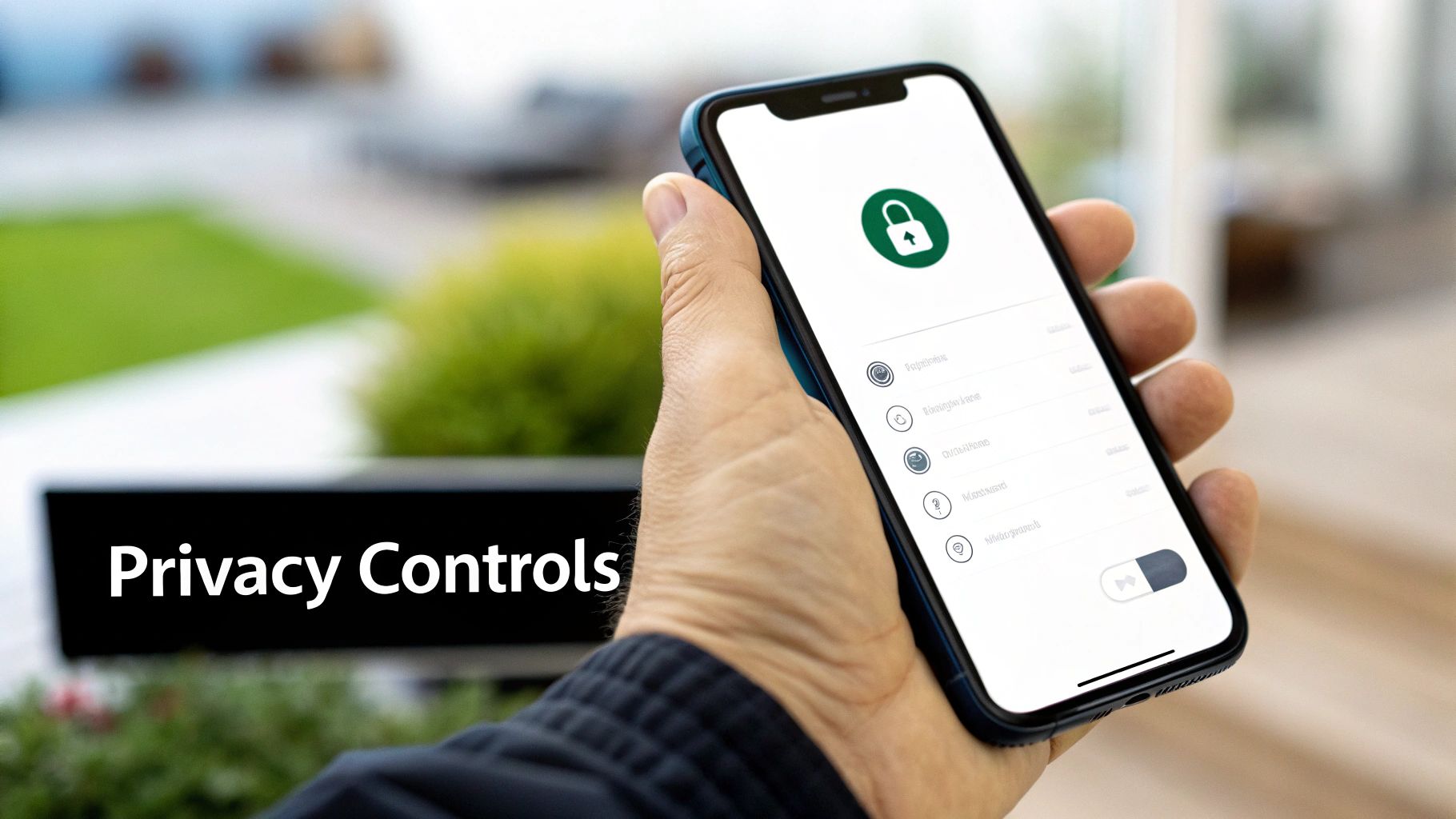
Let's be honest: a rock-solid privacy policy for apps is useless if it’s just a wall of legalese buried three taps deep in a settings menu. Real transparency isn't a passive document; it's an active part of the user experience. This is what we mean by "Privacy UX"—it's about designing how, when, and where you talk to users about their data in a way that’s clear, timely, and easy to act on.
The whole point is to shift privacy from a legal chore to an actual feature. Instead of hitting users with a massive, intimidating consent form the moment they open the app, you weave these choices right into the natural flow of your app.
Use Just-in-Time Permission Requests
One of the most powerful Privacy UX patterns out there is the just-in-time permission request. It's simple: you only ask for access to sensitive data—like the camera, location, or contacts—at the exact moment your app actually needs it to do something.
Think about a social media app. Asking for camera access on the very first launch feels pushy and out of context. Why do you need it right now? A much smarter approach is to wait until the user taps the "create post" button. Then, and only then, do you trigger the system permission prompt.
This approach is a game-changer for two big reasons:
- It provides immediate context. The user gets why you need the permission because they just initiated the action that requires it. It’s a logical next step, not a random data grab.
- It builds incremental trust. You’re not demanding everything upfront. This shows you're thoughtful and respectful about the data you collect, which goes a long way.
Pro-tip: Before you pop the official iOS or Android permission dialog, show a custom, pre-permission screen. You can use your app's branding to quickly explain what the permission is for and how it will make their experience better. This "soft ask" dramatically increases opt-in rates.
Build an Intuitive In-App Privacy Center
Users should never have to dig around for their privacy settings. A dedicated, easy-to-find "Privacy Center" or "Data Controls" section in your app isn't just a nice-to-have anymore; it's what users expect. This central hub gives them a single place to see and manage their data.
A good privacy center should absolutely include:
- Granular Toggles: Let users turn specific things on or off, like analytics tracking or personalized ads.
- Data Access and Deletion: Put clear, obvious buttons or links right there for users to request a copy of their data or delete their account.
- Consent History: Give them a transparent record of what permissions they’ve granted and when.
By making privacy controls self-service, you reduce user friction and show genuine respect for their autonomy. It’s a powerful trust signal that tells your users you’re confident in your data practices and have nothing to hide.
Avoid Deceptive Dark Patterns
As our apps get more complex—especially with AI-driven features—it can be tempting to nudge users toward the less-private options. These manipulative design choices are called dark patterns, and regulators are cracking down on them, hard.
This is only going to get more intense. As the Future of Privacy Forum points out, the rise of AI is putting personal autonomy and consent management at the center of global privacy debates. Companies are under a microscope for using deceptive designs to obscure privacy choices.
Common dark patterns to steer clear of include:
- Making the "Accept" button huge and green while the "Decline" option is tiny grey text.
- Using confusing language or double negatives to trick someone into agreeing to data sharing ("Don't not share my data").
- Burying an opt-out setting several screens deep after enabling it by default.
At the end of the day, a user-friendly privacy experience is about treating your users like people. Be honest. Be clear. Give them real control. This isn't just about staying compliant—it's how you build the kind of long-term trust that turns casual users into your biggest fans.
Got Questions About Your App's Privacy Policy? We've Got Answers.
Even after you've drafted what feels like a solid policy, some tricky questions always seem to pop up. It's that last-minute doubt that can make you hesitate before hitting "submit for review." Let's walk through some of the most common sticking points I've seen developers wrestle with and get you some clear answers.
Getting these right isn't just about passing review; it's about building a trustworthy app from the ground up.
"My App Doesn't Collect Any Data. Do I Still Need a Policy?"
Yes. Unquestionably, yes. Think of it less as a disclosure and more as a mandatory entry ticket for the App Store and Google Play. Both platforms require a privacy policy for every single app, no exceptions.
Without one, the review teams at Apple and Google have no official statement from you about your data practices. Their default assumption will be that you are collecting data and just didn't disclose it, which is an easy, surefire way to get rejected.
A simple, straightforward policy that clearly states you don't collect, store, or share any personal information is all it takes.
Pro Tip: This isn't just about appeasing reviewers. A "no data collected" policy is a powerful trust signal. It shows privacy-conscious users that you've been deliberate and transparent about their data from the very beginning.
"Can I Just Copy-Paste a Template I Found Online?"
Using a template as a starting point is a great way to structure your document. But you absolutely cannot just copy one verbatim and call it a day. That's a recipe for rejection and, worse, potential legal trouble.
Generic templates are just that—generic. They have no idea what your app actually does. Their biggest blind spot? Third-party SDKs. That analytics tool, the ad network you integrated, or even your subscription platform like Nuxie—they all have their own data collection practices that your policy must disclose.
If your policy doesn't accurately reflect how a third party handles user data, you're not just risking an App Store rejection. You could be on the hook for some serious liability under laws like GDPR. Always customize a template to be a perfect mirror of your app's real-world behavior.
"How Often Does This Thing Need to Be Updated?"
Your privacy policy is not a one-and-done task. It’s a living document that has to evolve right alongside your app. The rule is simple: if your data practices change, your policy must be updated to reflect that change.
Here are the most common triggers that should have you immediately thinking about a policy update:
- You add a new SDK: Integrating a new analytics, advertising, or crash reporting tool? That’s a new data processor you need to disclose.
- You start collecting new data: If you decide to add a field for a user's name or ask for location access, your policy needs to say so.
- You use existing data differently: Let's say you start using account emails for marketing. That's a new purpose that requires disclosure and, often, a new layer of user consent.
Beyond these specific events, I strongly recommend doing a full review of your policy at least once a year. Laws change, SDKs update their own policies, and it’s just good housekeeping to ensure you’re still fully compliant. When you do make a material change, let your users know with an in-app notification. It goes a long way.
Ready to stop worrying about paywall implementation and focus on what matters? Nuxie offers an AI-powered studio to design, target, and ship high-converting paywalls in minutes, all with privacy baked in from the start. Learn more and get started for free at https://nuxie.io.