
In-App Flow Builder: Dynamic UX & Onboarding 2026
Discover what an in-app flow builder is, evaluate solutions, and learn best practices for dynamic UX, paywalls & onboarding without app releases in 2026.
A lot of mobile teams are in the same loop right now. Product wants a new onboarding quiz. Growth wants a segmented paywall test. Lifecycle wants a churn survey after a failed action. Design already has mocks. Engineering says it can ship in the next release train.
That's the bottleneck. The idea isn't blocked by strategy. It's blocked by the app binary.
An in-app flow builder changes that operating model. Instead of hard-coding every onboarding step, survey screen, announcement, and offer directly into the app, teams define those experiences in a remote system that the app can render at runtime. The value isn't just “no-code.” The value is that product, growth, and design can iterate on journeys without turning every copy change, branch change, or experiment into release work.
That matters because the hard part of mobile growth usually isn't coming up with a new screen. It's getting the right experience in front of the right user quickly, safely, and consistently across iOS, Android, React Native, Flutter, Unity, and Unreal.
The End of the App Release Bottleneck
The old model is familiar. A team wants to test a new upgrade path for users who finished onboarding but skipped trial. The flow needs a few screens, a branch based on quiz answers, a paywall variant, event tracking, and a follow-up message if the user dismisses. On paper, it's straightforward.
In practice, it becomes a small release project.
Engineering has to wire screens, state handling, analytics events, targeting rules, entitlement checks, localization, QA logic, and edge-case behavior. Then the app goes through review, release scheduling, staged rollout, and post-launch fixes. By the time the experiment is live, the original question might already be outdated.
What teams actually need
Most teams don't need a prettier modal builder. They need a way to separate experience iteration from app release cadence.
That means:
- Remote screen definition so product and growth can update content, layout, and branching without asking engineers to rebuild the flow
- Runtime targeting so the app can decide which journey to show based on user state, lifecycle context, or billing data
- Experiment support so teams can test whole journeys, not just button copy
- Operational controls like versioning, publishing, rollback, and kill switches
Practical rule: If every meaningful change to an onboarding or monetization journey still requires a new binary, you don't have a flexible flow system. You have remote content on top of hard-coded behavior.
Why this is now a strategic issue
A recent Google/Qualtrics study found 55% of app users in major markets will abandon an app after a bad experience, which makes reliability and iteration speed more than a workflow preference. It affects retention and monetization directly, as noted in this discussion of flow builder limitations and lifecycle complexity.
That's why modern teams treat in-app flows as product infrastructure. They aren't just building popups. They're building a system for onboarding, paywalls, surveys, announcements, liveops, and retention offers that can adapt as user context changes.
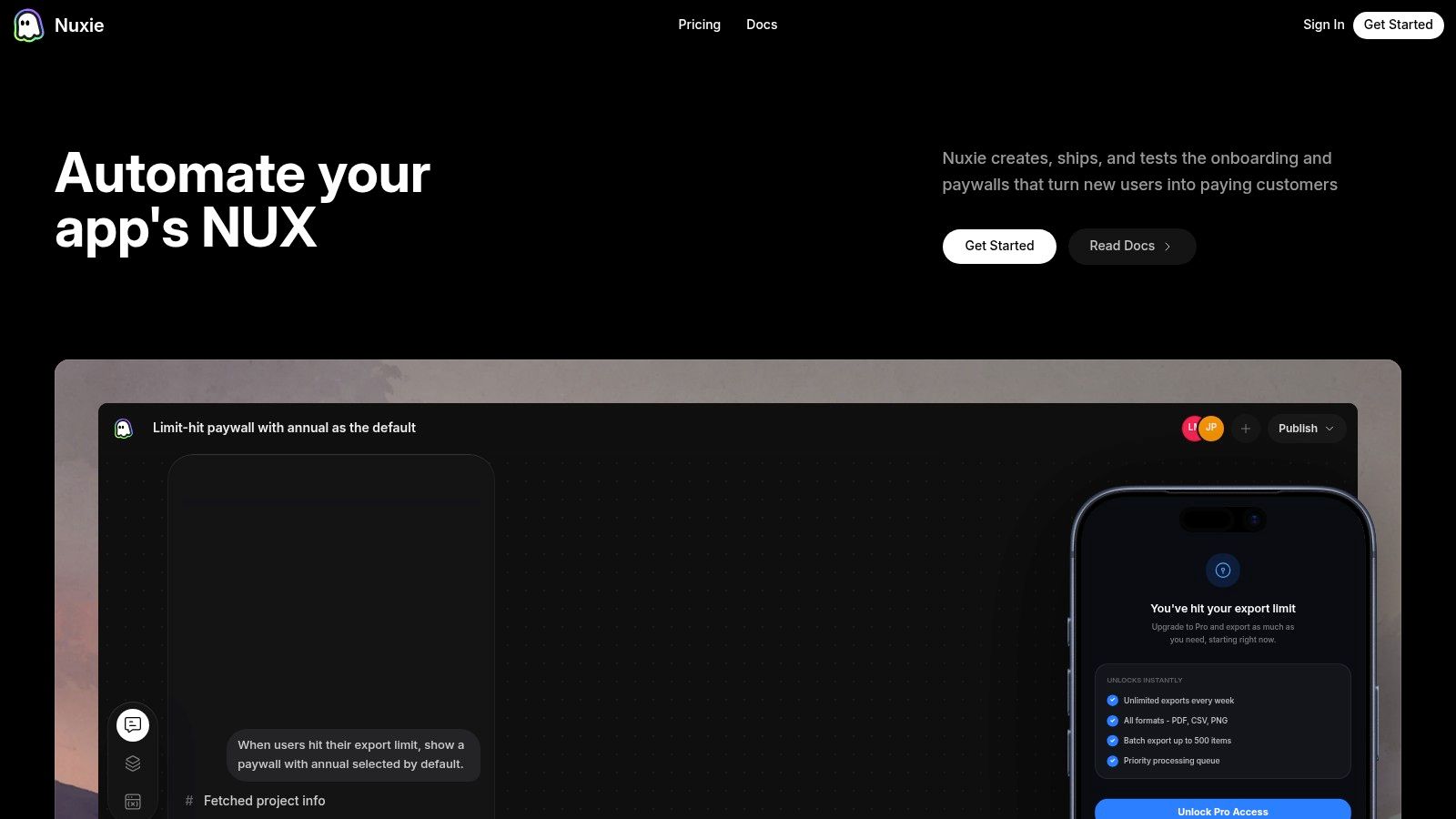
One example of that model is Nuxie, which combines an AI-native flow editor with analytics, experimentation, billing, and entitlement support across mobile apps and games. The broader point matters more than any single vendor. Once the SDK is in place, teams can move flow work out of the release queue and into a same-day operating rhythm.
What Is an In-App Flow Builder Architecture and Core Components
The cleanest way to think about an in-app flow builder is this: it's headless CMS logic for native app journeys. The app no longer stores every onboarding sequence or paywall path as fixed UI and fixed code. Instead, it receives a flow definition and renders the appropriate experience at runtime.
Modern systems follow a pattern that grew out of no-code automation platforms. In Salesforce Flow Builder, users can build screen flows, record-triggered flows, schedule-triggered flows, platform event-triggered flows, and auto-launched flows from a drag-and-drop canvas, with the platform positioning them as ways to automate routine work without writing code, as described in this Flow Builder overview. That design pattern matters because today's mobile flow builders use the same core idea: visual logic, reusable components, and runtime delivery of interactive steps.
The editor is only one layer
Most buying conversations get stuck on the canvas. The canvas matters, but it's only the authoring surface.
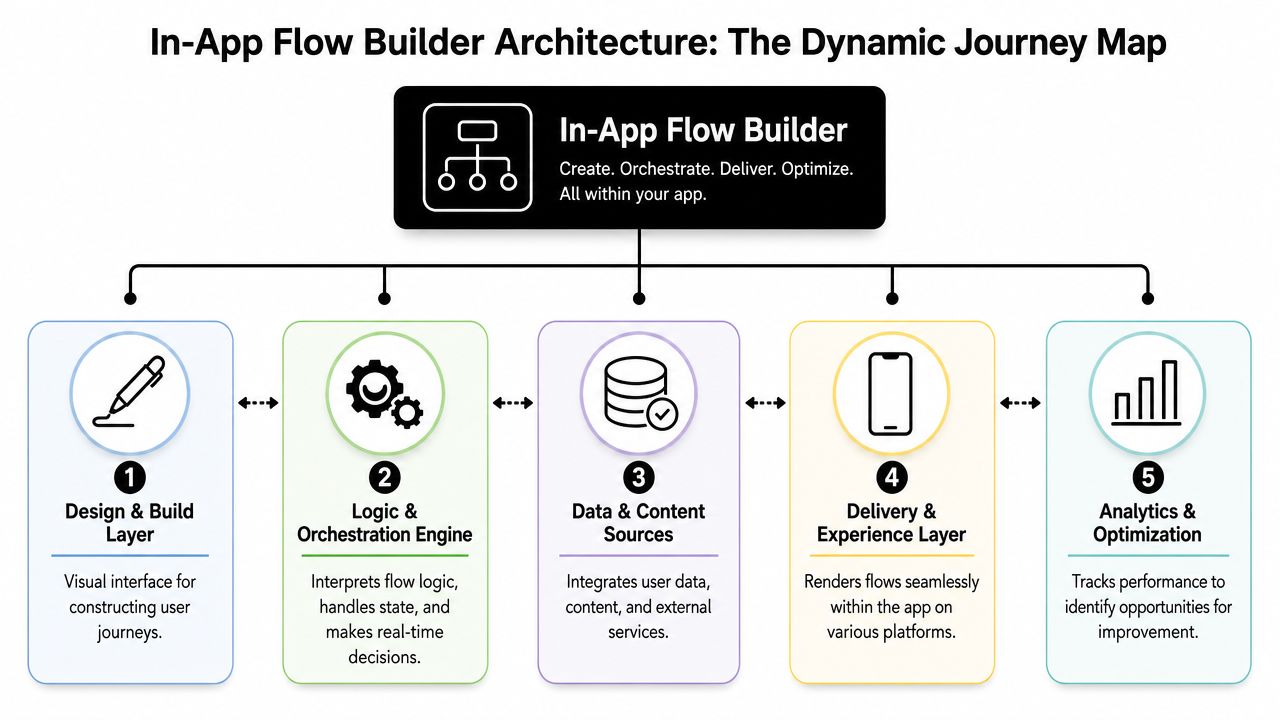
A production-grade architecture usually has four working parts:
| Component | What it does | Why it matters |
|---|---|---|
| Visual editor | Defines screens, branches, rules, and reusable components | Lets PMs, designers, and growth teams work in the same system |
| SDK | Renders flows inside the app and exposes device and app context | Makes the flow feel native on iOS, Android, and cross-platform stacks |
| Delivery engine | Resolves targeting and ships the correct flow definition | Decouples the experience from the app release |
| Analytics backend | Captures impressions, actions, branches, and outcomes | Makes experiments and performance analysis possible |
How the runtime actually works
The SDK is the part many teams underestimate. It's not just a viewer. It has to manage rendering, local state, event dispatch, fallback behavior, and app-specific conditions such as login state, feature access, network reachability, and entitlement status.
A solid runtime should answer questions like:
- Should this flow render now or later
- What happens if the user goes offline mid-flow
- What if a branch depends on purchase state that changed moments ago
- How does the experience stay consistent across native apps and game engines
That's where server-driven UI and flow orchestration start to overlap. If you want a deeper model for that pattern, server-driven app UI is the closest architectural cousin.
The visual builder is the easy part to demo. The runtime is the part that decides whether the product will hold up in production.
The hidden fifth component
In practice, there's also a fifth layer: operational governance.
That includes draft vs published versions, environment separation, QA devices, experiment assignment, rollback, and approval workflow. Teams often discover this late, after they've already built a nice editor and a decent renderer. Without lifecycle controls, every remote flow becomes a new source of risk.
That's why the right question isn't “Can this tool build a flow?” It's “Can this system ship and manage flows safely across the app states we have?”
Evaluating Key Features and Capabilities
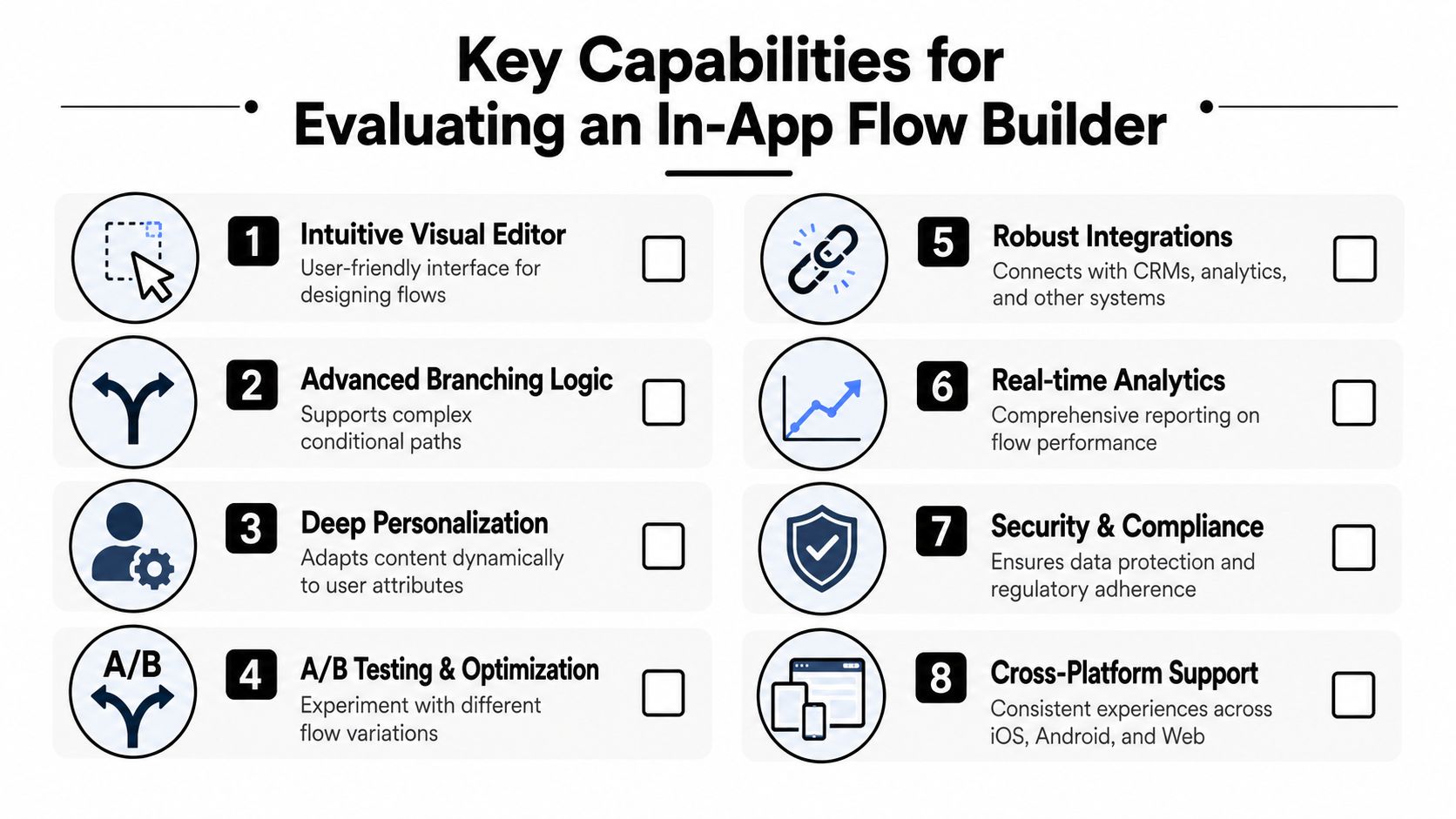
Buying an in-app flow builder gets easier once you stop comparing screenshots of canvases and start comparing runtime behavior. A lot of products can assemble steps visually. Far fewer can support dynamic mobile journeys across apps, frameworks, and game engines without creating a maintenance problem.
The market context has shifted toward retention and monetization quality. Existing flow-builder coverage still tends to assume one web app or one platform-specific UI layer, while mobile teams need experiences that work across fragmented environments. That gap matters because, according to Appfigures, global app downloads declined about 2% year over year in 2024 while consumer spending rose about 4%, which points teams toward better monetization and retention rather than pure acquisition, as noted in this discussion of cross-platform flow delivery gaps.
Targeting and segmentation
Start with targeting, because it determines whether the flow is useful or just decorative.
The strongest systems can combine product intent, lifecycle state, and billing context. Good examples include users who completed onboarding but skipped trial, users who hit a feature limit, subscribers approaching renewal, or churn-risk users after a failed action. Those segments are far more actionable than broad groups like “all non-subscribers.”
Ask these questions during evaluation:
- On-device evaluation: Can the SDK use local app state without waiting for a server roundtrip?
- Event-based triggering: Can a flow start from app events, not just session start?
- Audience composition: Can you mix behavioral data, profile attributes, and entitlement state?
- Suppression logic: Can you prevent overexposure after dismissals, purchases, or repeated failures?
Runtime and offline behavior
Weak tools are exposed. If the flow breaks under inconsistent connectivity, users won't care that the builder looked polished.
You want to understand:
- Caching model. Does the SDK prefetch and cache definitions for likely entry points?
- Fallback behavior. What renders if the latest flow can't be fetched?
- State recovery. If the app backgrounds or reconnects, can the user continue cleanly?
- Cross-platform parity. Does the same flow behave predictably on iOS, Android, React Native, Flutter, Unity, and Unreal?
A flow that only works when the network is clean and the app state is simple isn't a growth tool. It's a demo.
The video below shows the kind of builder experience teams usually expect on the surface. What matters more is whether the runtime under it can support production complexity.
UI fidelity and interaction model
Static interstitials aren't enough for many apps and games. Teams increasingly want flows that feel native to the product, not bolted on.
Evaluate whether the builder supports:
- Reusable native components instead of image-based mock screens
- Rich motion and interaction, including support for assets like Rive where needed
- Dynamic text and bindings so answers from earlier steps can personalize later screens
- Layout behavior across device classes so the same flow doesn't degrade on tablets, foldables, or unusual aspect ratios
Experimentation depth
A/B testing is often oversold. Some tools say they support experiments, but only at the copy or theme layer.
A practical in-app flow builder should let you test:
| Experiment type | Why it matters |
|---|---|
| Entry logic | Compare trigger timing, not just the screen |
| Branching rules | Test whether different quiz paths convert better |
| Whole journeys | Compare a short path vs a richer onboarding sequence |
| Offer logic | Test pricing, trial framing, or benefit ordering |
| Holdback groups | Measure whether the flow helps at all |
Billing and entitlement integration
This category matters more than is often expected, especially for subscription apps and games.
The builder should work with native billing systems and existing providers rather than forcing a closed stack. Check how it handles StoreKit, Google Play Billing, subscription state, failed renewals, restored purchases, and entitlement sync. If you already use RevenueCat or another provider, ask whether the platform can consume that data cleanly. If you want optional consolidation later, ask about migration paths.
Provider-agnostic design is a real advantage here. It lets teams use billing and entitlement data inside targeting and experiments without accepting vendor lock-in or a revenue-share model just to access their own monetization state.
Common Use Cases That Drive Growth
The best in-app flows aren't isolated screens. They're connected journeys that respond to what the user just did.
That's the difference between a static “welcome sequence” and a real growth system. One shows the same steps to everyone. The other adapts based on intent, progress, and commercial context.
Personalized onboarding that leads somewhere
A useful onboarding quiz doesn't just collect preferences. It changes what happens next.
A common pattern is to start the flow from an app event, ask a few questions about goals or use case, store those answers, and personalize later steps with that information. If someone signals a high-intent use case, the flow can branch into a more direct upgrade path. If they're still exploratory, the flow can highlight education first and monetize later.
That's much stronger than shipping one hard-coded sequence for every new user.
Paywalls tied to user context
Paywalls are one important use case, but not the whole story. The reason they fit naturally into an in-app flow builder is that they often work best when they're part of a broader journey.
For example:
- After onboarding: show a paywall variant that reflects the user's stated goal
- After a limit event: present an upgrade path when the user hits a real product boundary
- Near renewal or churn risk: change the message or offer based on entitlement state and recent friction
- After dismissal: route the user into a lighter follow-up message instead of repeating the same pitch
Surveys and announcements that don't feel random
A lot of teams overuse surveys and under-target them. They ask everyone the same question at the wrong moment.
A better pattern is contextual prompting. Ask for feedback after a failed action, after a feature adoption milestone, or after a user exits a monetization screen. Feature announcements work the same way. They land better when tied to demonstrated interest than when blasted to the whole user base.
Good in-app flows don't interrupt the product. They respond to what the user was already trying to do.
Liveops moments for games and media apps
Games and media products often need a different cadence. They care about timed offers, progression-based messaging, content drops, and event-linked promotions. A flow builder is valuable here because it lets teams coordinate messaging, offer logic, and analytics without requiring a client update for every campaign variation.
That matters because bad timing and fragile delivery hurt more in these environments. As noted earlier, a bad app experience can drive abandonment. In mobile products where users move quickly between sessions and states, reliability matters as much as creativity.
Best Practices for Design Testing and Deployment
Teams usually fail with an in-app flow builder for one of two reasons. They either start too small and treat it like a popup tool, or they start too big and try to rebuild half the app in week one.
The better path is narrower. Pick a flow with clear business value, enough complexity to justify remote control, and a manageable number of dependencies.
Start with one modular journey
Good first candidates include:
- An onboarding quiz plus paywall branch
- A feature-limit upgrade flow
- A post-failure recovery survey with a retention offer
- A liveops campaign entry flow for a game event
These are ideal because they combine screens, logic, and measurement without requiring the entire product shell to become server-driven.
A shared canvas also changes team dynamics. Designers can reason about screens and motion in the same place where PMs define targeting and where growth reviews outcomes. That collaborative view is often as valuable as the runtime itself.
Test the lifecycle, not just the screen
Teams often QA the visible path and forget the operational path.
Before publishing anything broadly, test:
- Entry conditions on real devices and internal QA segments
- Dismiss and resume behavior across app backgrounding and reconnects
- Analytics coverage for every branch, not just successful conversion
- Purchase and entitlement updates after buy, restore, fail, and cancel paths
- Rollback behavior if the flow must be turned off quickly
Field note: Every flow should have a kill switch. If you can publish remotely, you also need to disable remotely.
A holdback group is also important. Without one, teams often confuse normal conversion movement with flow impact. If you're refining your experiment process, A/B testing for mobile apps is the adjacent discipline to get right.
Treat deployment as an operational system
Publishing shouldn't mean “push and hope.”
Use a release pattern that looks more like this:
| Stage | What to check |
|---|---|
| Internal | Rendering, triggers, analytics, dismiss logic |
| QA segment | Device coverage, state consistency, purchase handling |
| Small rollout | Early anomalies, event integrity, support issues |
| Scaled rollout | Business impact and long-term behavior |
The teams that get the most value from these tools are disciplined about versioning and ownership. Someone owns trigger logic. Someone owns design quality. Someone owns analytics definitions. And engineering still owns runtime integrity even if they no longer rebuild every flow.
The tool removes release dependency. It doesn't remove the need for product rigor.
Integration and The Build vs Buy Decision
An in-app flow builder only works if it behaves like a good citizen in your stack. That means broad client support, but also clean data interoperability.
For mobile teams, platform coverage has to be explicit. Native iOS and Android are the baseline. After that, many teams need React Native or Flutter, and game teams often need Unity or Unreal. If a vendor treats those as afterthoughts, you'll feel it in runtime parity, QA effort, and analytics consistency.
Integration requirements that matter
Look beyond the SDK checklist and inspect the data paths.
A workable system should connect with:
- Product analytics for events, cohorts, and outcome measurement
- Billing and entitlements for offer logic, renewal state, and access control
- CDPs or warehouses if your team centralizes user state outside the app
- Messaging and lifecycle tools if flows feed later campaigns
- Experimentation workflows so assignment and outcome logic stay coherent
Many point solutions fall short. They can show a paywall, but they can't reliably consume the surrounding product context or send clean downstream data. That's one reason teams start comparing a standalone flow tool with a broader in-app experience platform, especially when they want surveys, announcements, onboarding, offers, analytics, and billing-aware targeting in one operating model.
What building it really means
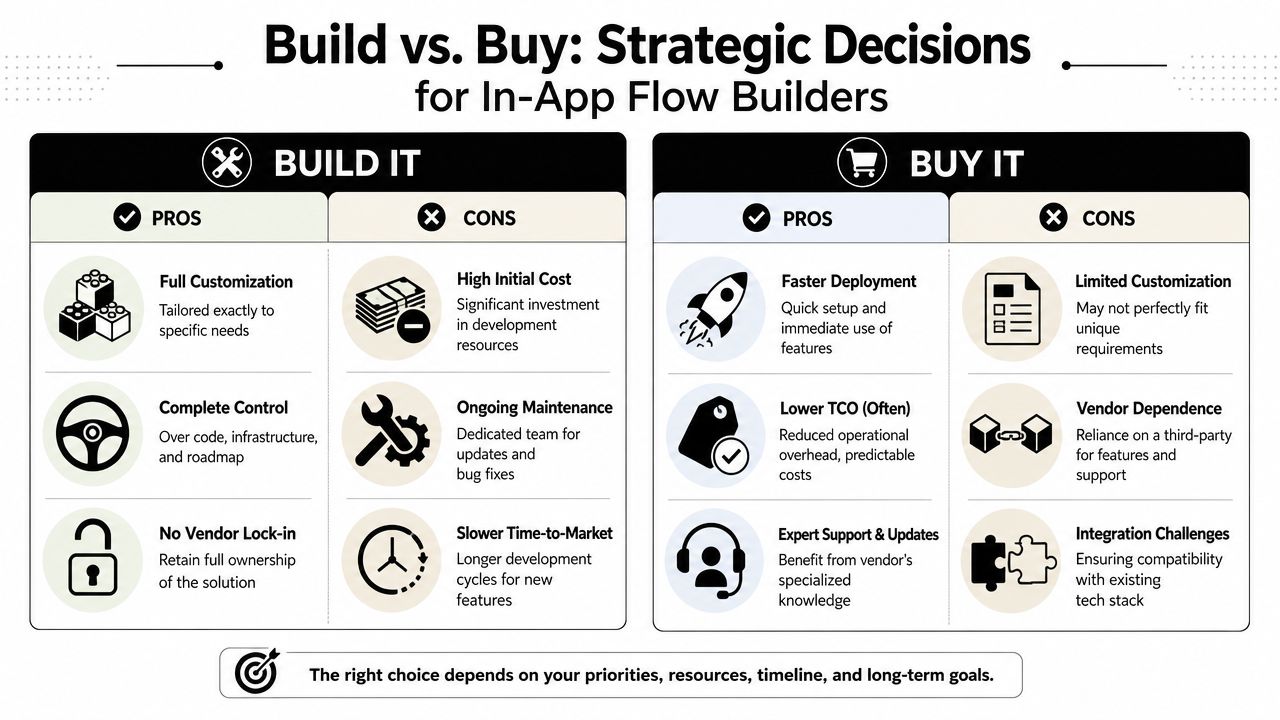
Some teams say, “We can build this ourselves.” Sometimes they can. But they should scope the full system realistically.
You're not just building a visual editor. You're building:
- SDKs for each client stack
- A rendering model for native-feeling screens
- Targeting and rule evaluation
- Caching and offline behavior
- Publishing infrastructure
- Versioning and kill switches
- Event collection and analytics
- Experiment assignment and holdback logic
- Billing and entitlement state integration
That can be the right call if in-app journey infrastructure is strategic enough to justify a dedicated team and long-term maintenance.
When buying is the pragmatic choice
Buying usually makes more sense when your edge is in product, monetization, or content strategy rather than infrastructure.
A simple comparison helps:
| Option | Best fit | Main trade-off |
|---|---|---|
| Build | Large team, unique runtime needs, strong platform engineering bench | Ongoing maintenance and slower iteration on the platform itself |
| Buy | Teams that want to launch and learn faster | Vendor constraints and the need to vet integration depth |
If your roadmap advantage comes from running better onboarding, monetization, and retention programs, spending a year building internal flow infrastructure may not be the highest-leverage move.
The right answer depends on where your team creates value. Some companies should build. Most should buy carefully.
Your Implementation and Migration Checklist
Start with a single journey that matters commercially and operationally. Don't migrate every modal, announcement, and paywall at once. Pick one flow that already causes release friction and has clear measurement.
Phase one setup
- Choose one use case: onboarding quiz, feature-limit paywall, churn survey, or liveops campaign
- Integrate the SDK: cover the platforms you ship today
- Connect core data: analytics events, user attributes, billing state, and entitlement data
- Define governance: draft, QA, publish, rollback, and ownership
Phase two first launch
Build the first flow with a narrow scope. Include one trigger, one or two meaningful branches, and complete event tracking from impression to outcome.
Use a pre-launch checklist:
- QA audience rules on internal devices
- Analytics validation for every branch
- Fallback behavior for offline or stale state
- Holdback group to measure incremental effect
- Kill switch before launch
Phase three scaling
Once the first flow is stable, expand by pattern, not by chaos.
Create reusable components. Standardize event naming. Define who approves targeting changes. Let PMs and growth own iteration, while engineers own runtime reliability. That's where the model pays off. Teams can revise copy, layout, sequencing, and experiments without waiting for another app release.
If your team wants to move onboarding, surveys, paywalls, announcements, and billing-aware journeys out of the release queue, Nuxie is one option to evaluate. It supports remotely shipped in-app experiences across iOS, Android, React Native, Flutter, Unity, and Unreal, with analytics, experimentation, billing, and entitlement workflows in the same system.