

Remote App UI: A Practical Guide for Mobile Teams
Learn how to leverage remote app UI to ship faster, run experiments, and personalize experiences. This guide covers architectures, pitfalls, and best practices.
A launch is live. Paid traffic is running. Someone on the growth team spots a broken onboarding branch, a bad paywall variant, or copy that confuses users at the worst possible moment.
If your only fix is a new binary, you're already late.
That's why remote app UI matters. It's not just a technical pattern. It's an operating model for teams that need to change user-facing flows after release, without turning every campaign, fix, or experiment into an app store event.
Why Your App Needs a Faster Update Cycle
Most mobile teams reach the same point. The app release process works fine for core product changes, then starts breaking down for high-frequency UI work. Onboarding tweaks, seasonal promotions, entitlement messaging, retention prompts, and paywall changes don't fit cleanly into a release train.
The pain gets sharper when the issue is small but expensive. A single broken branch in onboarding can send users into a dead end. A paywall with the wrong copy can undercut an active campaign. A launch-specific screen might be ready in design but stuck behind app review timing. Those aren't codebase-wide failures. They're operational failures caused by coupling too much UI logic to the binary.
The release bottleneck is now a growth bottleneck
Remote app UI changes that equation. Instead of baking every user-facing flow into the shipped app, the app contains a renderer and rules for what it can safely display. The content, structure, and targeting of specific screens can then change remotely.
That matters for more than speed. It changes who can respond and when.
- Product can adjust flows mid-cycle instead of waiting for the next scheduled release.
- Growth can swap campaign screens while traffic is still active.
- Engineering can remove a broken branch without treating a UI issue like a full emergency patch.
- QA can validate a specific flow manifest rather than retesting unrelated app surfaces.
Teams are also more distributed than they used to be. WorkTime's roundup of remote work statistics cites Zoom reporting that 31% of employees said their company offered remote or hybrid working options in 2024. The team shipping your app is often spread across time zones, disciplines, and approval chains. Tools for remotely managing the UI aren't a niche convenience anymore. They fit the way mobile organizations already operate.
Practical rule: If a screen changes more often than your binary should, that screen is a candidate for remote control.
A useful way to think about it is this. App releases should carry capabilities. Remote app UI should carry campaign logic, presentation decisions, and safe flow changes. That's the same split behind server-driven app UI, but applied with product, operational, and commercial discipline instead of as a pure architecture exercise.
How Remote App UI Actually Works
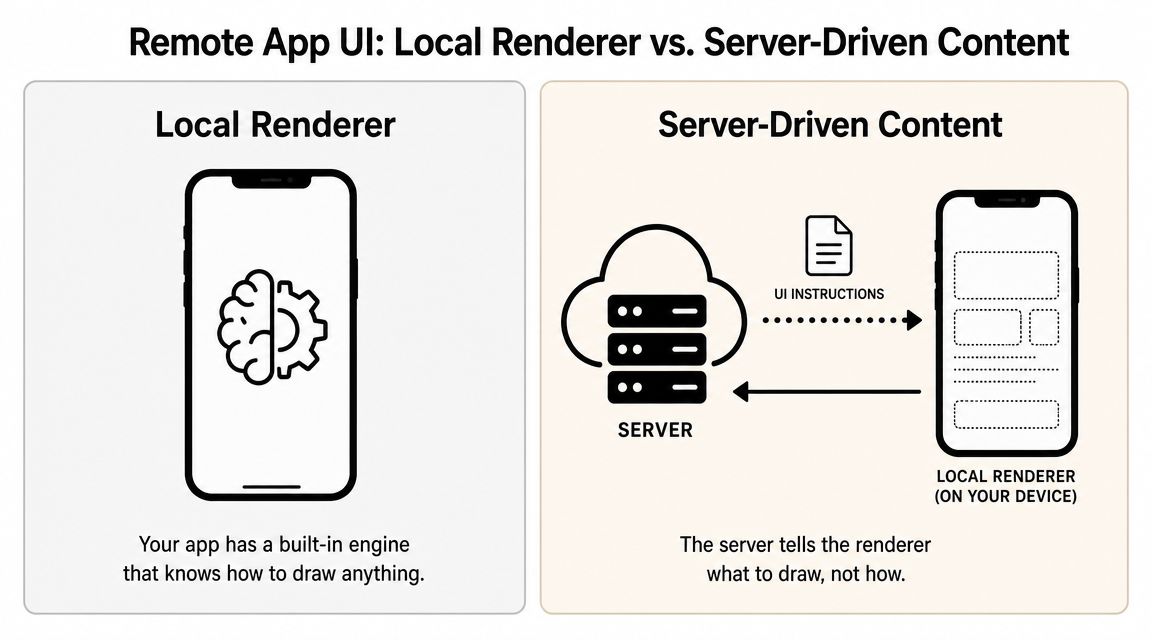
At its core, remote app UI is simple. The app binary ships with a local renderer. A backend sends a definition of what to show. The device then renders that definition using native or engine-level components.
That's the part many teams miss. A strong remote UI system does not mean the server owns everything. The client still owns rendering, performance constraints, security boundaries, compatibility checks, and fallback behavior.
Three patterns teams usually choose from
The first pattern is webview-driven UI. The app loads remote HTML, CSS, and JavaScript inside a webview. This is the fastest way to get flexibility because you can change layout and behavior remotely with very little native code. The tradeoff is familiar. It often feels less native, can introduce startup and interaction overhead, and creates extra work around gesture behavior, accessibility, analytics consistency, and deep integration with billing or entitlement state.
The second pattern is declarative payload rendering. The app receives a structured payload, often JSON, that maps to a set of native components. The payload might define a stack, image, text block, button, animation, input, or conditional branch. The app renders those using UIKit, SwiftUI, Jetpack Compose, React Native primitives, Flutter widgets, Unity UI, or Unreal UI equivalents. This takes more upfront engineering, but it usually produces a better runtime experience and a tighter product surface.
The third pattern is hydration. A screen skeleton lives locally, and remote data fills in parts of it. That can mean swapping copy, offers, modules, or sequencing inside a predefined layout. Hydration is less flexible than full server-driven rendering, but it's often easier to govern and safer for teams making an incremental move.
The real technical split
Here's the decision in practical terms.
| Architecture | Performance | Flexibility | Native Feel |
|---|---|---|---|
| Webview-based remote UI | Usually lower and more variable | Very high | Usually weaker |
| Declarative native rendering | Usually stronger | High within defined components | Strong |
| Hydrated local templates | Strong | Moderate | Strong |
The more freedom you give the server, the more discipline the client needs.
That's why Microsoft's Remote UI model for Visual Studio is a useful reference point. Microsoft's Remote UI architecture documentation describes an MVVM-style approach where UI is defined in XAML and rendered in-process while extension logic runs out-of-process. It also disallows direct code-behind and event handlers, pushing developers toward data binding and commands. That tradeoff matters. Safe remote UI systems usually limit arbitrary client-side behavior on purpose.
Remote UI gets safer when the renderer is opinionated and the payload is constrained.
What a production-ready runtime usually includes
A workable runtime usually needs more than a renderer:
- A component registry that defines which UI blocks the server may request.
- A typed schema for inputs, actions, experiments, and analytics events.
- A version contract so old clients don't attempt to render unsupported content.
- A fallback path to local screens when a payload is invalid, delayed, or unavailable.
Teams often move from “we built remote screens” to “we need an in-app experience platform.” The difference is governance. A renderer alone isn't enough. You also need targeting, previews, publishing controls, rollback, and measurement. That's the broader product category behind an in-app experience platform.
The Business Case and Technical Tradeoffs
Remote app UI only works as a strategy if it improves meaningful business outcomes without making the app fragile.
The upside is straightforward. Teams can update critical journeys when the market, campaign, or product state changes. The harder part is that users don't care whether a screen is local or remote. They only care whether it loads quickly, behaves predictably, and respects context.
Where the business case becomes real
The strongest argument for remote UI isn't “engineering elegance.” It's control over moments that affect conversion, retention, and monetization.
UXCam's mobile UX statistics report that a 1-second delay in page response can reduce conversions by 7%, and 88% of users are less likely to return after a bad UX. For remote app UI, those numbers raise the bar. A remotely delivered flow that feels slow or unstable can erase the benefit of shipping it quickly.
That same dynamic is why teams use remote UI for critical surfaces first:
- Onboarding branches that need rapid iteration
- Paywalls and offer screens that change with campaign logic
- Announcements and prompts tied to feature launches
- Reactivation flows triggered by entitlement, behavior, or lifecycle state
A remote screen isn't valuable because it's remote. It's valuable because the team can fix or improve it while the opportunity still exists.
A short product demo helps illustrate the operating model in practice:
The tradeoffs teams need to accept
The hard parts aren't reasons to avoid remote app UI. They're reasons to design it properly.
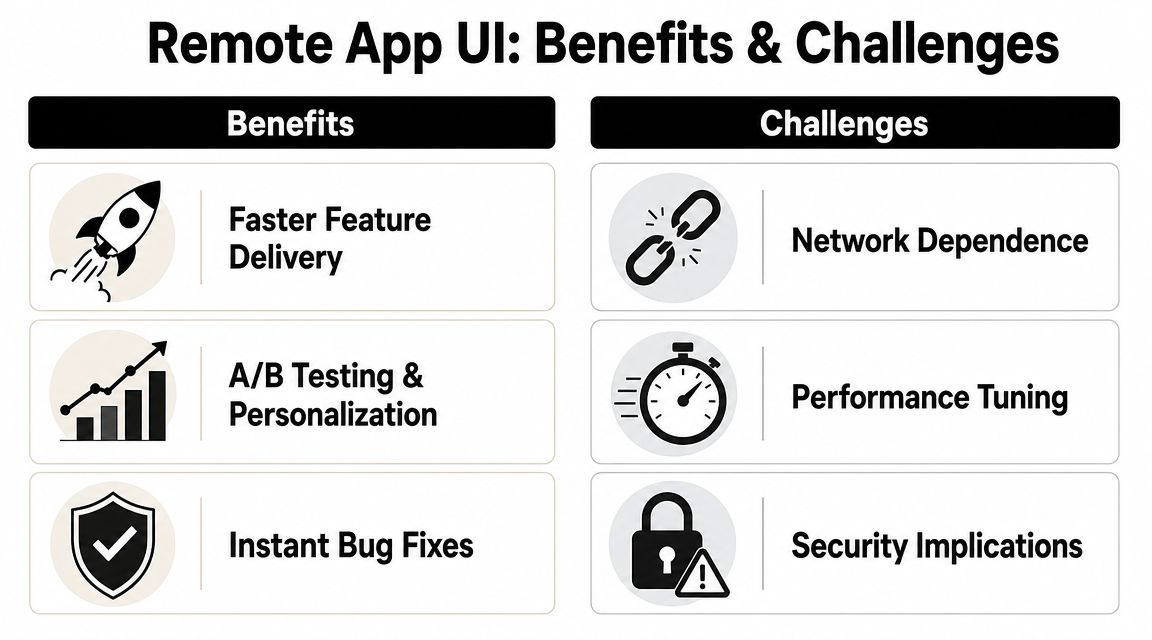
Performance tuning comes first. Startup latency, payload size, animation weight, and asset fetch order all matter. If the first load waits on too many network-dependent resources, the “faster update cycle” turns into a slower user experience.
Security boundaries matter just as much. A remote manifest should describe safe UI states, not execute arbitrary logic. Clients need schema validation, compatibility checks, and clear action handling.
Offline behavior is often under-designed. The mobile research summarized in the verified data points to a recurring problem: remote interactions get unreliable when visibility changes, frame-rate latency rises, or real-world device conditions degrade. In practice, remote app UI should be offline-first, with cached artifacts, delayed sync, and a known-safe local fallback. If the network gets weak, the user should still be able to complete the task or at least land somewhere coherent.
What works: compact manifests, prefetched flows, cached assets, and local fallback screens.
For teams building conversion surfaces in production, that usually means pairing remote app UI with robust orchestration, analytics, and testing tools such as an in-app flow builder, rather than treating every flow as a one-off implementation.
Platform-Specific Implementation Strategies
The architecture should adapt to the stack, not the other way around. Remote app UI on iOS doesn't behave exactly like remote app UI in Unity, and teams get into trouble when they force one platform's assumptions onto another.
Native iOS and Android
On native stacks, the cleanest pattern is usually a constrained component model rendered with platform-native UI.
For iOS, that often means mapping remote payloads into SwiftUI views or into a UIKit layer if the app still uses UIKit heavily. The important decision isn't SwiftUI versus UIKit. It's whether the remote layer can express only approved components, actions, and state transitions.
For Android, Jetpack Compose is a natural fit because the rendering model is already declarative. A remote payload can map cleanly to composables, modifiers, state, and action dispatch. Compose also makes it easier to keep dynamic screens visually aligned with the rest of the app if your design system is already componentized.
A few rules matter on both platforms:
- Respect native interaction patterns. Remote shouldn't mean generic.
- Keep navigation ownership local. The app should still control route boundaries and protected areas.
- Separate presentation from entitlement checks. The server can suggest a flow, but the client should still verify sensitive state.
React Native and Flutter
These stacks are usually good candidates for remote app UI because they already treat UI as a tree of declared components.
In React Native, the practical challenge is governance. It's easy to build a dynamic renderer, then let the schema expand until it becomes a second app definition language. Keep the set of components narrow, typed, and intentionally boring.
In Flutter, widget composition works well for remote rendering, especially when you need tight control over design consistency across iOS and Android. The caution is similar. Don't create a payload format so expressive that debugging, QA, and compatibility become harder than shipping native changes.
Build a component grammar, not a full remote programming language.
Unity and Unreal for games
Games need remote app UI for a different reason. The important screens aren't just onboarding and billing. They include liveops moments, event entry points, challenge prompts, reward reveals, dynamic stores, and timed offers. Those surfaces often need to change while the game economy and content calendar are in motion.
In Unity, teams usually implement this through a runtime UI layer tied to remote config, offer logic, and event state. The work goes beyond visuals. You need deterministic state handling, asset management, and careful control over how UI changes interact with gameplay and store systems.
In Unreal, Epic's Remote Control Web Application documentation shows a related pattern. It exposes engine properties and functions to a browser-based UI, which turns the UI layer into a remote control surface over runtime state rather than a fixed native panel. For game teams, that's a useful mental model. The most valuable remote UI often controls and reflects live state instead of merely decorating it.
The platform differences are real, but the common principle is the same. Keep rendering local, keep contracts strict, and let remote systems decide configuration, sequencing, and content within boundaries the client understands.
Putting Remote UI into Practice with Nuxie
The easiest way to understand remote app UI is to look at the moments where teams already wish they had it.
A subscription app wants to change an onboarding question set after launch because users are dropping off on an unnecessary step. A publisher wants to insert a feature announcement for only returning readers. A game team wants to swap a timed offer screen during a live event. A growth team wants to replace confusing paywall copy while traffic is still flowing.
Those are all the same class of problem. The screen is important, the timing is urgent, and a full app release is the wrong tool.
Common use cases that fit remote control
Remote UI is strongest when the flow is user-facing, time-sensitive, and operationally coordinated across teams.
- Onboarding and activation flows where product and growth want to test sequencing, copy, or branching.
- Paywalls and purchase moments where the offer, framing, or entitlement messaging needs to change mid-cycle.
- Surveys and feedback prompts that are event-triggered and shouldn't require a binary release.
- Feature announcements and re-engagement screens tied to audience segments, app state, or campaigns.
What teams usually need beyond the renderer
Most companies can build a payload renderer. Fewer build the surrounding operating system well.
That surrounding layer includes previews, publishing controls, segmentation, experiment setup, audit history, rollback, billing and entitlement awareness, and analytics that tie exposure to downstream behavior. It also has to work across the stacks teams use, including iOS, Android, React Native, Flutter, Unity, and Unreal.
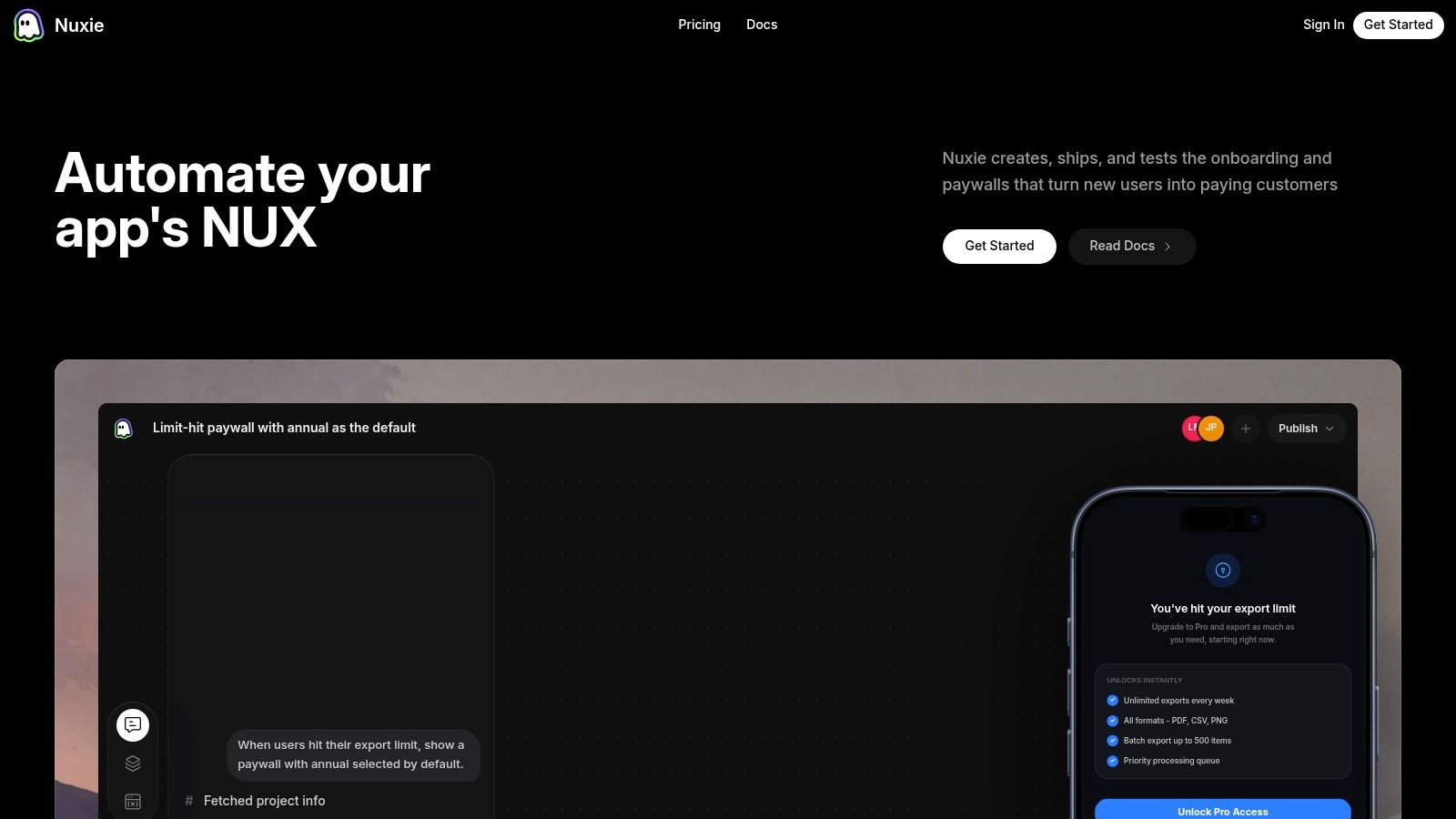
One option in that category is Nuxie, which is positioned as an AI-native in-app experience, experimentation, analytics, billing, entitlement, and growth platform for mobile apps and games. It supports remotely shipping in-app journeys across major native, cross-platform, and game stacks, includes a collaborative flow editor, and can work alongside existing billing and data providers without a revenue-share fee on billing and entitlement data.
What matters in practice is not the vendor label. It's whether the system handles the operational details teams tend to underestimate:
- Can you publish a corrected flow quickly and safely?
- Can you preview the exact runtime state before it goes live?
- Can you target by entitlement, app version, or audience condition?
- Can you roll back immediately if a flow misbehaves?
A remote UI platform earns its keep when a small UI issue stops being a release-blocking bug.
That's especially true for paywalls, but paywalls shouldn't be the only lens. The broader opportunity is controlling connected in-app journeys without turning every iteration into a mobile release cycle.
Building a Safe and Scalable Remote UI System
Fast iteration without controls creates a new class of production incidents. The fix is rarely glamorous. It's mostly process, contracts, and fallback engineering.
The safeguards that should feel boring
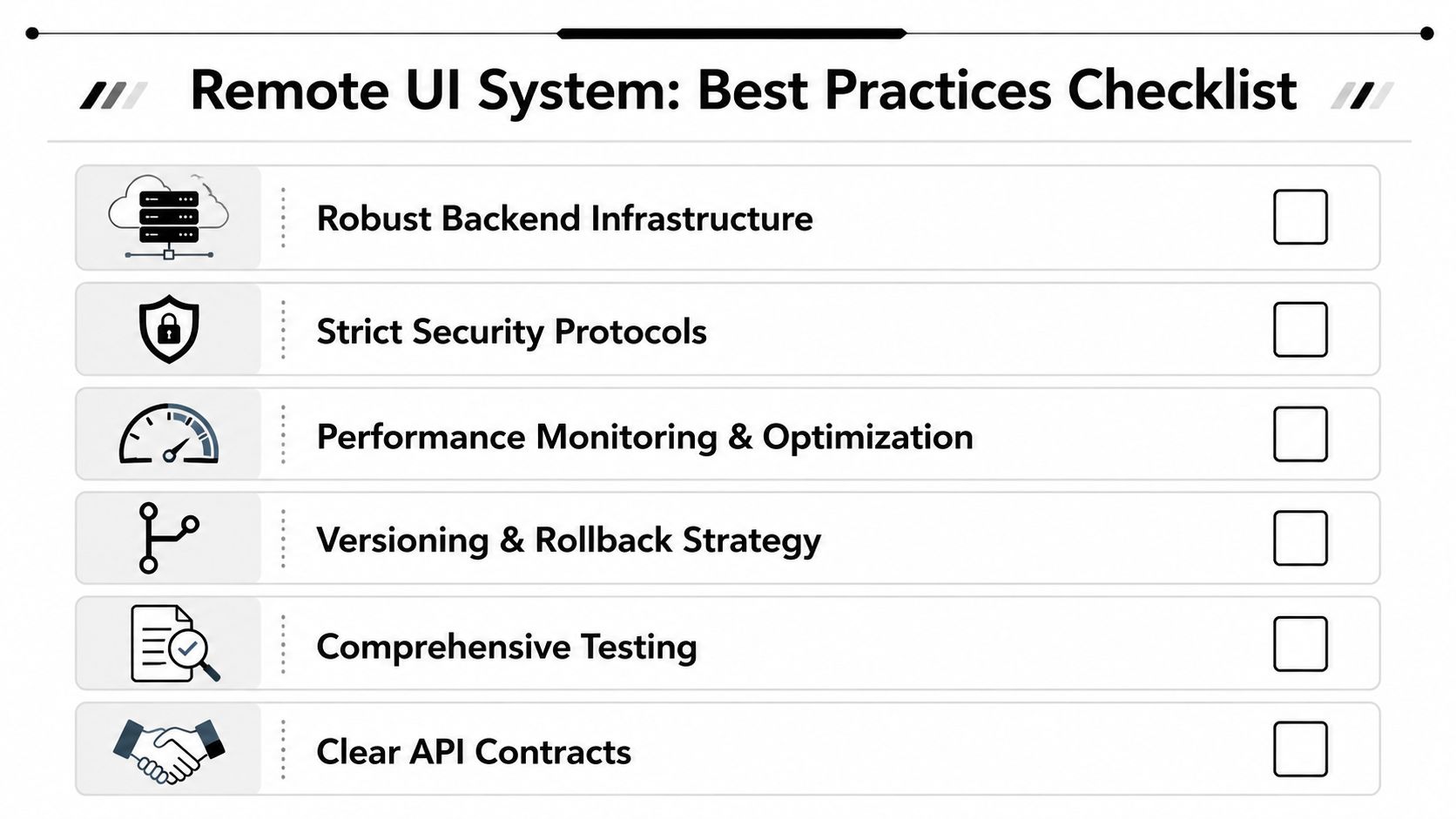
A safe remote app UI system should make risky changes hard to publish accidentally.
- Versioned manifests: Every remotely delivered flow should declare a schema version and a minimum client capability. Unsupported clients should fall back locally, not attempt partial rendering.
- Typed contracts: Events, entitlement checks, purchase states, and action payloads should be typed. If your analytics schema is loose, your reporting and debugging will be loose too.
- Preview before publish: Teams need a way to inspect flows in realistic app state before release. That includes older app versions and platform-specific rendering.
- Permissioned publishing: Not everyone should be able to push production UI. Growth, product, engineering, and QA usually need different levels of control.
- Staged rollout and rollback: Remote app UI should reduce blast radius, not expand it. Roll out gradually and keep rollback immediate.
- Audit history: Teams need to know what changed, who changed it, and which users saw it.
Performance and connectivity rules
Caching isn't optional. Treat remote UI as a versioned runtime artifact.
That usually means compact manifests, prefetched high-probability flows, cached media or animation assets, and a known-safe local route if remote content can't load. On slower devices, heavy webview rendering tends to magnify startup pain, so many teams prefer native rendering for critical paths.
A good test is simple. If the network drops after app open, does the user still get a coherent experience?
Accessibility has to be part of the contract
Dynamic screens are accessibility surfaces. If your renderer produces beautiful screens that break screen readers, focus order, contrast assumptions, or alternative input paths, the system isn't production-ready.
Diceus's telemedicine app development guide explicitly lists voice control as an inclusive feature for users with disabilities. That's a useful reminder for remote app UI design. Accessibility can't be added as decoration after the schema is finished. It needs to exist inside component definitions, interaction patterns, confirmation states, and error recovery.
Accessibility should be encoded in the renderer, not left to whoever configures the campaign.
The scalable version of remote UI is not “maximum flexibility.” It's constrained flexibility with strong defaults.
Frequently Asked Questions About Remote App UI
Is remote app UI the same as server-driven UI
Not exactly. Server-driven UI is one common architecture for remote app UI. The broader term includes hydrated templates, remote configuration of local components, and other patterns where the app can change user-facing flows without a new binary.
Will Apple or Google reject an app for using remote UI
Using remote app UI isn't the issue by itself. The practical question is what you're changing and how safely the client handles it. Teams still need to respect platform policies, especially around payments, entitlements, and executable behavior.
How often should teams publish remote UI changes
There isn't one correct cadence. Planned onboarding and monetization work may ship on a regular rhythm. Launches, experiments, and live campaigns often need much faster iteration. The useful metrics are publish frequency, time from idea to live flow, rollback rate, exposure count, and how each update performed across app versions and platforms.
If your team wants the flexibility of remote app UI without building the full stack in-house, Nuxie is one option to evaluate. It combines remotely shipped in-app experiences with experimentation, analytics, billing, entitlement data, and collaborative publishing workflows across mobile apps and games.